
Appearance
Mark text as reference
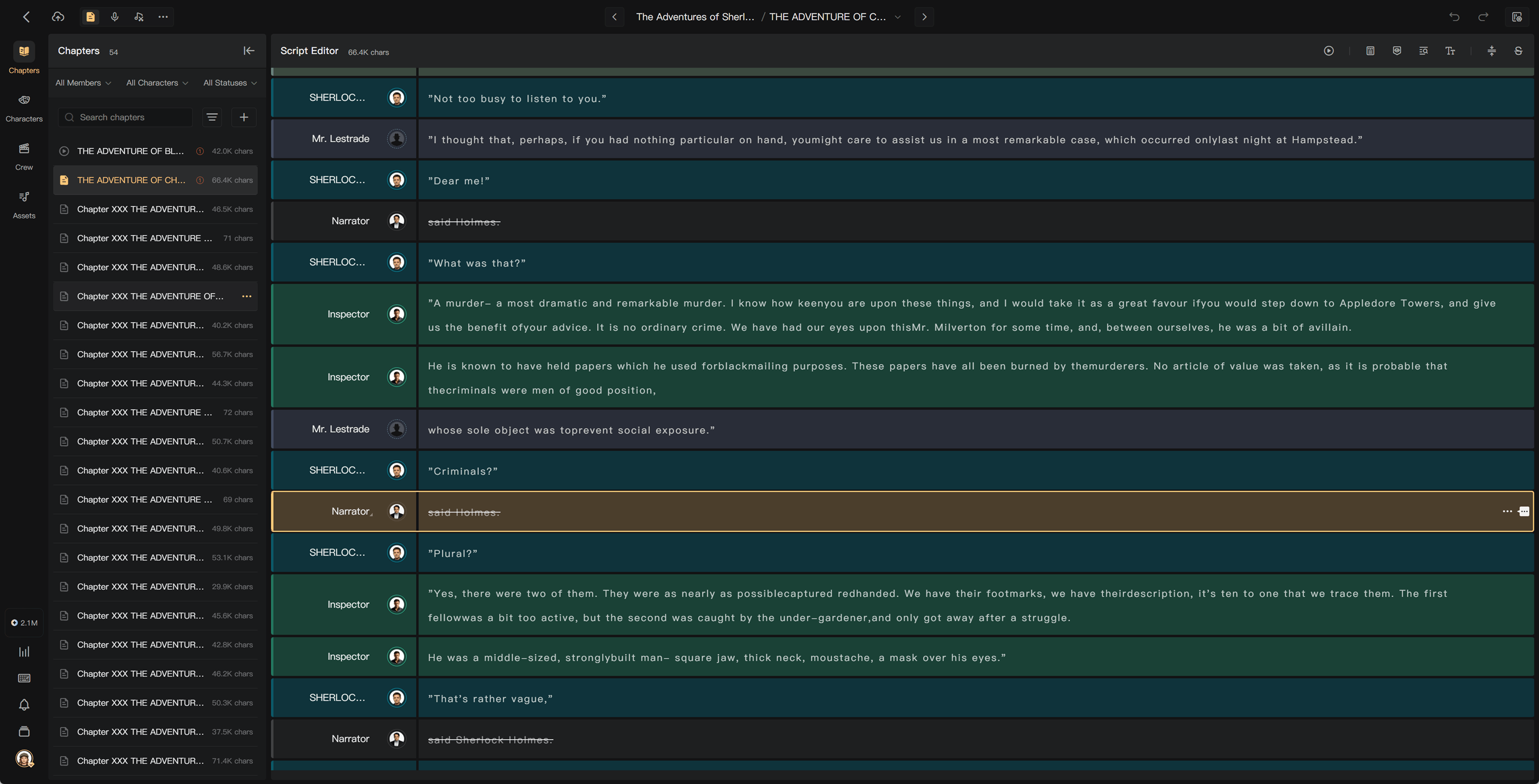
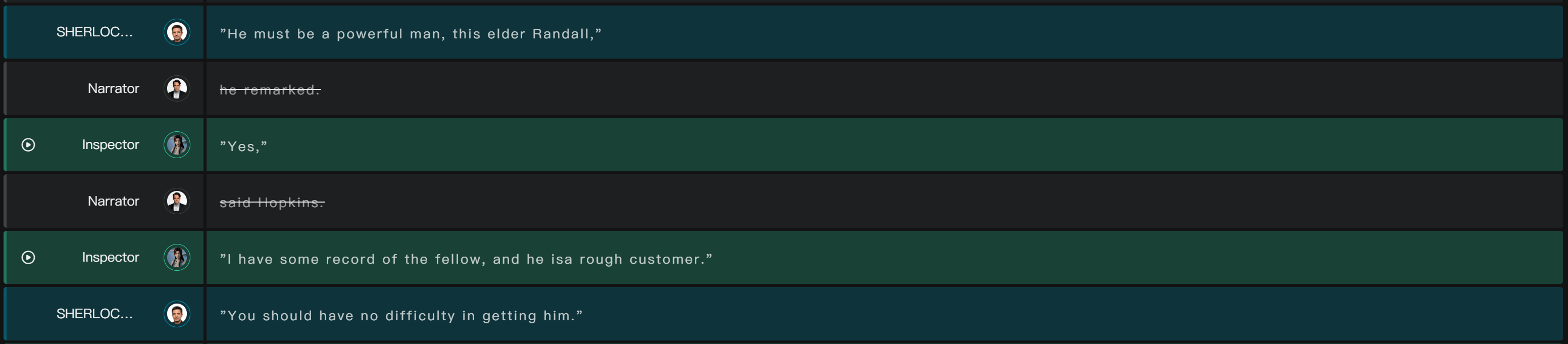
Mark as Reference keeps directions visible in the script while excluding the marked text from recording. You can mark selected words within a segment; the entire segment does not have to be excluded.
Choose what should remain unspoken
In a multi-character production, directions such as “he said” or “she whispered” can guide the performer rather than be read aloud. Keep actual dialogue and narration that the production intends listeners to hear.
Reference marking is recommended for multi-character human performances. It is generally not recommended for AI narration or a single-voice reading when those narrative directions should be spoken as part of the book.
Mark selected text
- In Script Editor, select the words to exclude from speech.
- Choose Mark as Reference from the selection action.
- Check the resulting reference/strikethrough display.
- Read the remaining spoken text to make sure the sentence still works.
Use the available reference-mark control to remove an accidental mark, and check the resulting recording requirements.
Smart Mark as Reference
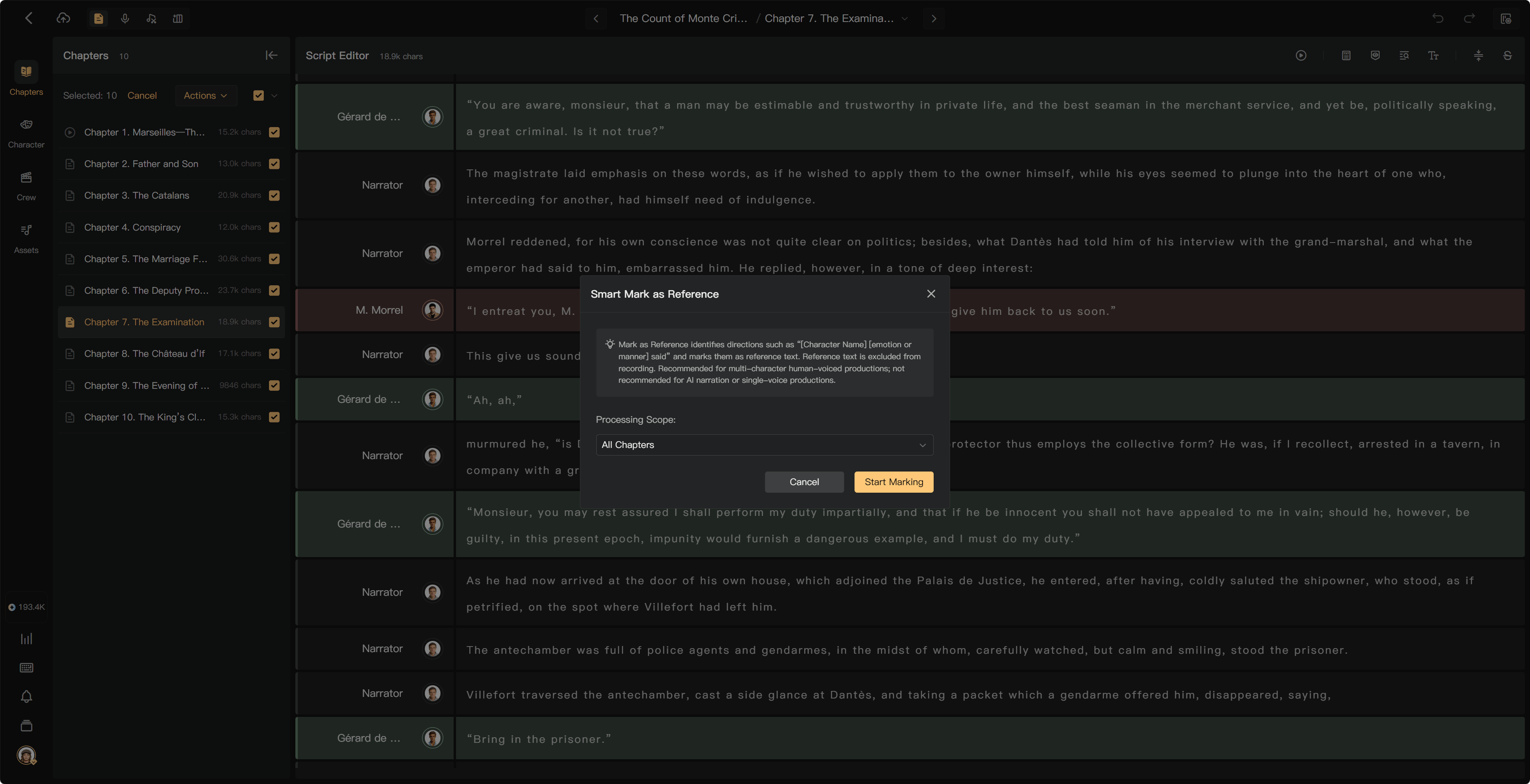
Use the toolbar's Smart Mark as Reference action to identify likely dialogue directions in the selected scope. Review the operation's warning and check the result afterward.
This batch operation cannot be undone as stated in the confirmation. If selected content already has audio, it adds reference marks without changing that audio. Marking text does not automatically remove words from an existing recording.
Choose the chapter or batch scope offered by the tool before starting. After processing, inspect recurring dialogue directions and read the remaining spoken text. Correct marks that remove words the listener should hear; do not assume the automated result needs no review.
Recording and review
Reference text is excluded from the speech to be produced. Smart Review accounts for those marks so an intentionally unspoken direction is not treated as missing content.
If audio was already generated or recorded, correct it separately if the marked words should be removed. Then update its review transcript and mix where necessary.
Reference versus deletion
Reference text remains available to guide production. Deletion removes content from the script. Choose according to whether the text still provides useful context, and check the confirmation for any batch or destructive action.
See Script Editor basics, Performance guidance, and Review results.