
Appearance
Personal assets
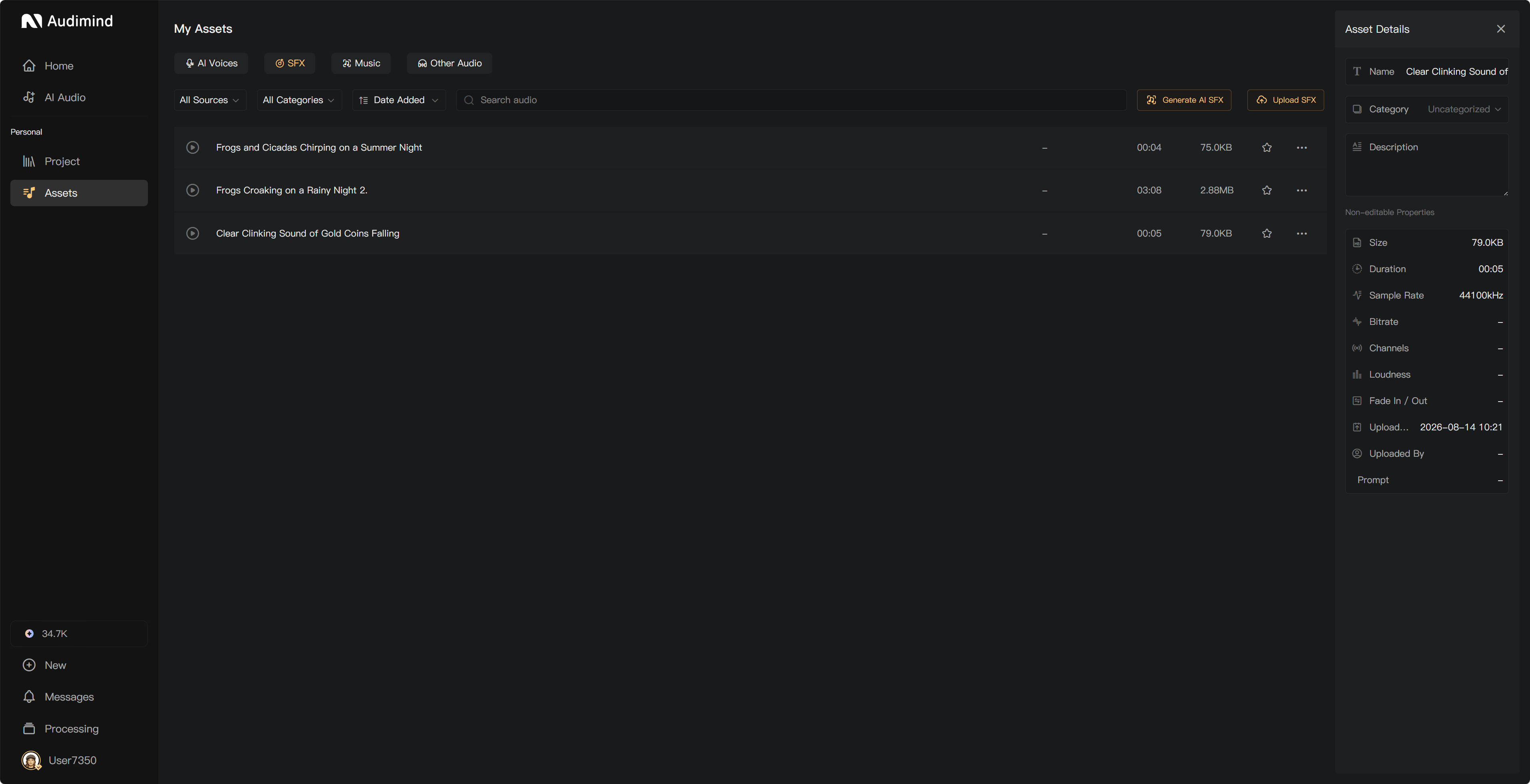
Open Personal → Assets to manage your own uploads, AI-generated results, and favorites. Use descriptive names so you can find the right file during production.
Browse your collection
The collection separates AI voices, music, and other audio. Within those categories, use the available filters for designed voices, favorites, AI music, AI SFX, Quick Voiceover results, and uploads.
Upload audio
- Open the appropriate audio category.
- Select the upload action and choose a local file.
- Check the supported format and size limit in the upload dialog.
- Wait for upload to finish, then play the file to confirm it is correct.
Uploads need available storage. If storage is full, free space or purchase Extra Storage before continuing.
Play, organize, and use
- Play: listen to the asset and seek using its playback bar.
- Rename: use the edit action beside the name where shown.
- Download: save an audio copy locally.
- Add to a project: drag audio from the project's Assets panel onto the appropriate track.
- Assign a voice: select it for a character; AI voices are not dragged onto audio tracks.
- Delete: review the confirmation and check whether the asset is still needed.
Batch actions depend on the available selection controls and your membership.
AI-generated assets and favorites
Quick Voiceover, Generate SFX, and Generate Music save successful audio to the relevant personal category. Voice Design uses a save flow for the selected voice.
Adding an official asset to favorites makes it easier to find; removing a favorite removes the saved reference from that list. It is different from deleting an uploaded or generated file.
Share with a team
Use Sync to Team to copy an eligible asset to a team you can access. Check the destination and available permissions. The personal copy remains after synchronization; manage copies separately.
Before deleting an asset used by a project, check the deletion notice and keep a backup. Review any project dependencies listed in the deletion notice before removing the asset.
See Team assets, Use assets in a project, and Manage full storage.