
Appearance
Review multiple chapters
Use batch transcription for chapters ready for review, then handle passages and corrections chapter by chapter. Group work by readiness and delivery priority rather than submitting unfinished chapters.
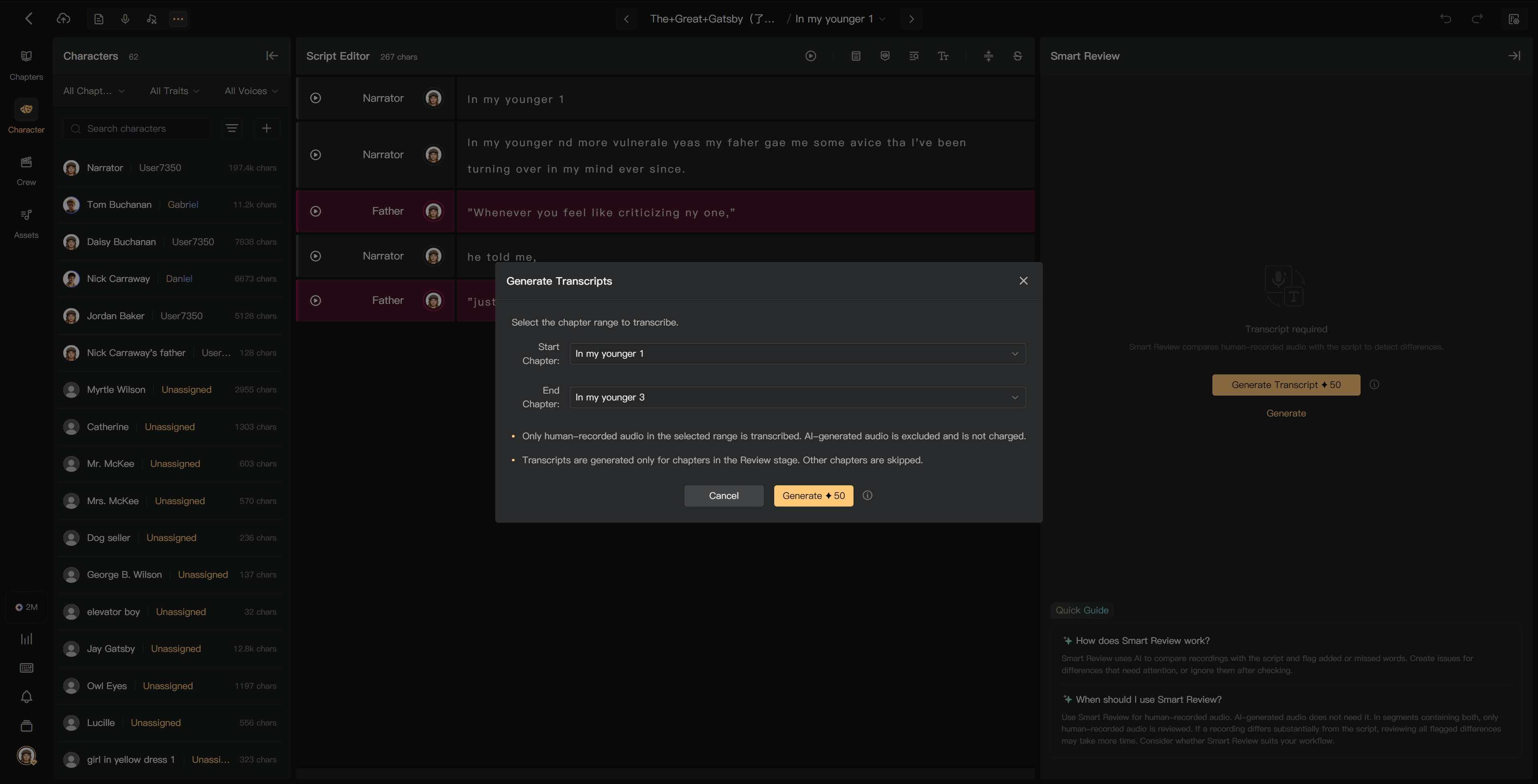
Prepare a batch
- Confirm which chapters have entered Review.
- Avoid transcribing audio that is about to be replaced.
- Select Generate Transcripts and the chapter range.
- Check the eligible audio and estimated charge before submission.
- Track processing, then open chapters whose results are ready.
Chapters outside Review are skipped. Existing usable transcripts and AI audio do not need new human-recording transcription charges.
Review efficiently
- Start with urgent chapters and passages needing pickups or editing.
- Use Missed, Added, Unrecognized, and Changed indicators to locate work.
- Listen before ignoring a difference or opening an Issue.
- Continue on another chapter while a correction is being handled.
- Return to verify corrected audio and refresh stale transcripts.
Use Chapters or the previous/next chapter controls to navigate. For keyboard shortcuts, open My in the creation page and check the current shortcut assignments.

Track completion
Use chapter tasks and the project progress view to see outstanding Review work. Creators and directors can inspect whole-project progress; individual members view their assigned work.
A finished transcript, an ignored alert, or a newly submitted Issue does not by itself mean review is complete. Check unresolved corrections and listen to replacement audio before accepting the chapter.
See Generate transcripts, Resolve review issues, and Review completion.