
Appearance
Review alignment results
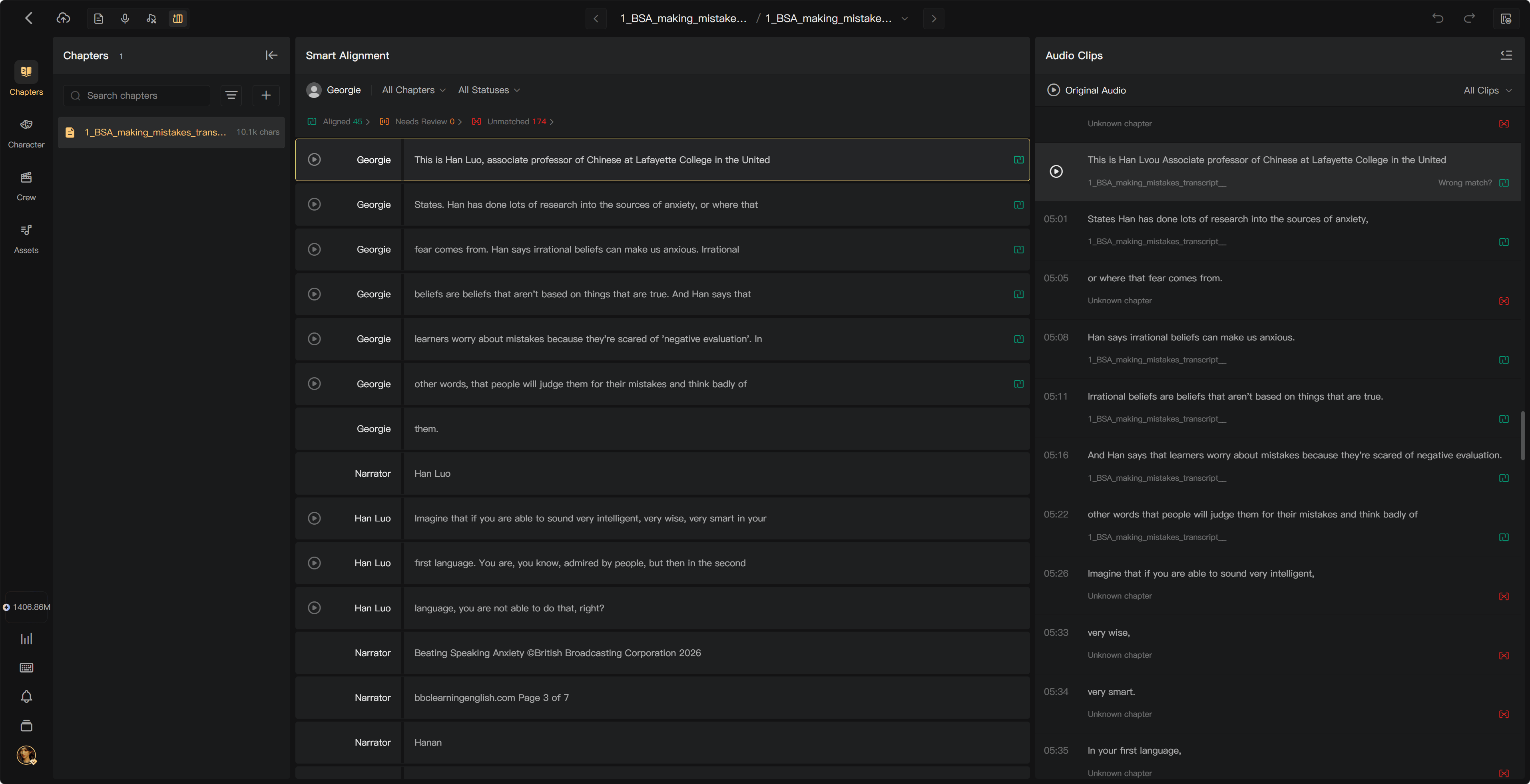
After processing, open the task's clips from Alignment Tasks. Compare the script with the Audio Clips list and handle the results that need a decision.
Understand the statuses
| Status | Meaning | Action |
|---|---|---|
| Aligned | The clip has been matched and placed in the corresponding script segment | Spot-check important passages; no further action is required for a correct match |
| Needs Review | A match was found, but that script segment already has audio | Listen, then choose whether to replace the existing audio or keep it |
| Unmatched | No script match was found | Locate the correct line and match manually, or discard material you do not need |
Needs Review is an existing-audio conflict, not a statement that the match has low AI confidence. Check the actual clip before replacing anything.
Work through the results
- Check that you are viewing the intended character, chapters, and task.
- Use the status filters and counts to focus on exceptions.
- Listen to Needs Review clips and decide Replace or Keep Existing using the action shown.
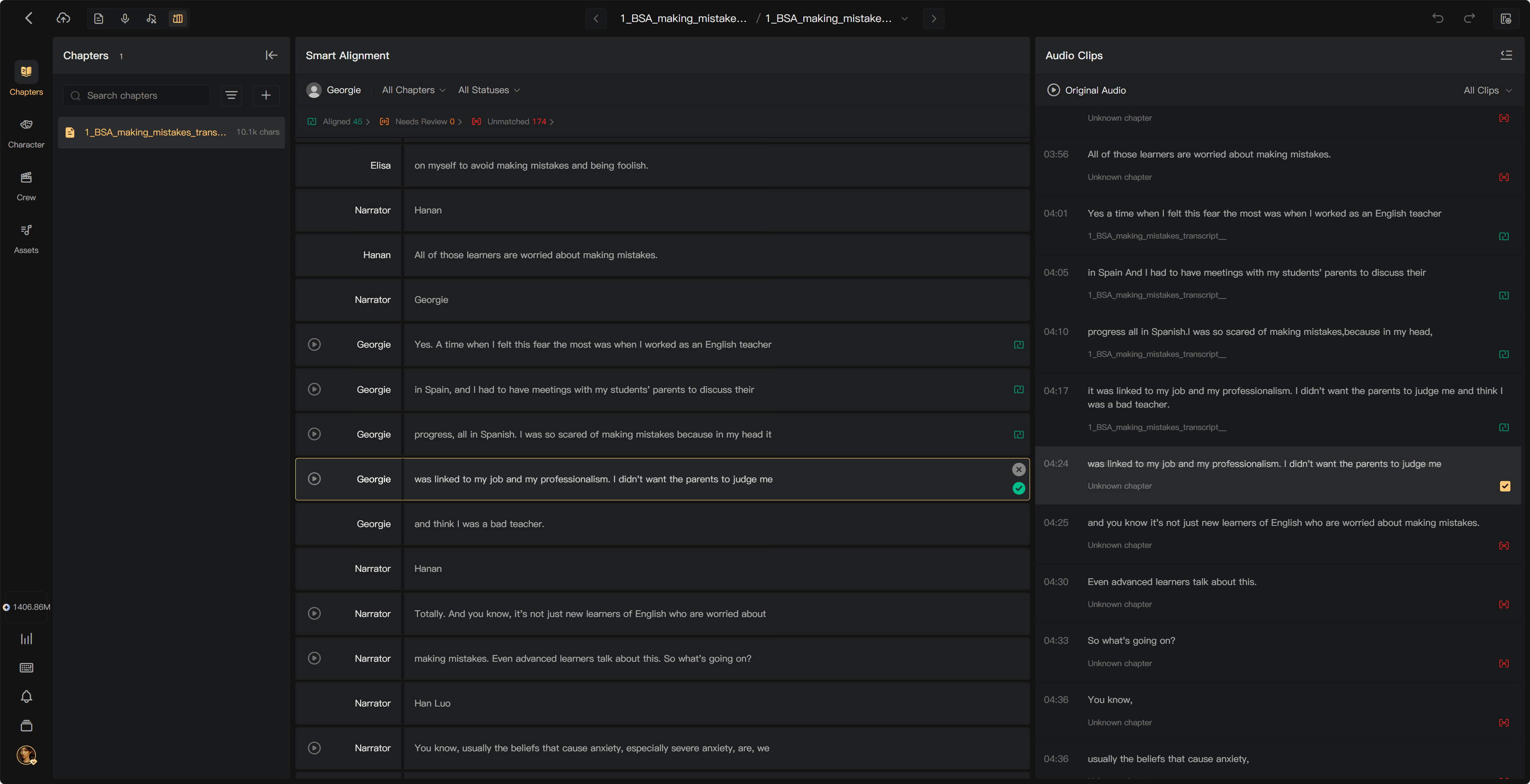
- Resolve Unmatched clips using Match to Line or drag-and-drop.
- Use Discard for retakes or unrelated material you do not want to use.
- Spot-check chapter beginnings, endings, repeated lines, and short passages.
A high match count does not prove every match is correct. If you hear a wrong association, use Wrong match? or Remove Alignment and reconnect the clip to the correct segment.
For an Unmatched clip, listen to the original context and compare neighboring script lines. Discard only retakes or material that should not be used. For a Needs Review clip, compare it with the existing take before replacing it; keeping the current audio leaves that take in use.

What happens next?
Aligned audio is placed on the appropriate tracks for Post-Production. Check that required script segments have the right audio before continuing. Existing AI-generated segment audio does not need this alignment workflow.
See Manual alignment, Play original audio and clips, and Post-Production.