
Appearance
Upload and add documents
Prepare the manuscript before production begins. Clear headings and paragraph breaks make chapter detection and script preparation easier.
Upload the first document
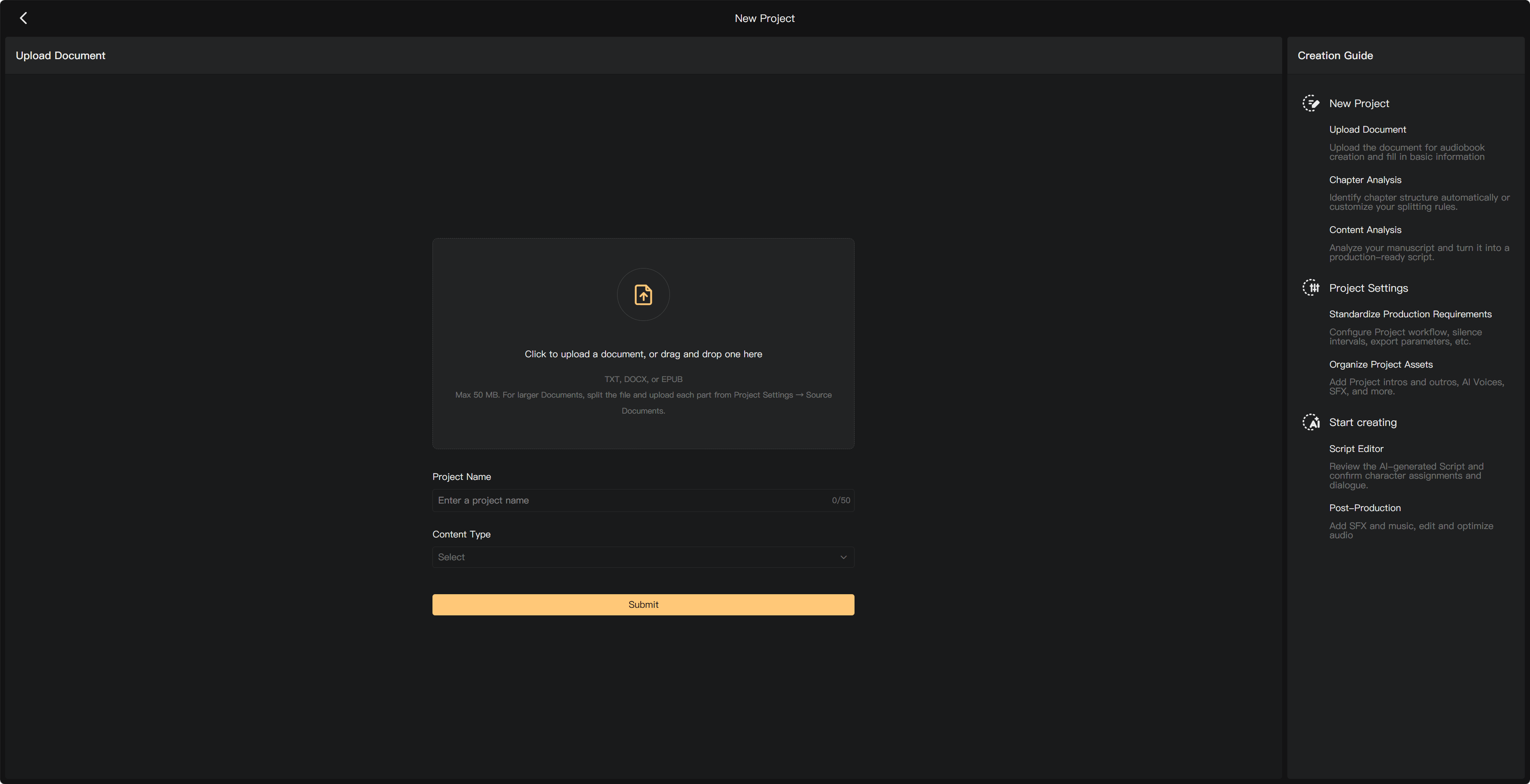
Select New Project, upload or drag the file into Upload Document, enter the project name and content type, and submit. The upload form supports TXT, DOCX, or EPUB up to 50 MB.
For TXT files, use UTF-8 encoding to avoid garbled characters. Check imported text carefully; a manuscript upload is not a promise that Word or EPUB formatting will be reproduced in the script.
Add more content
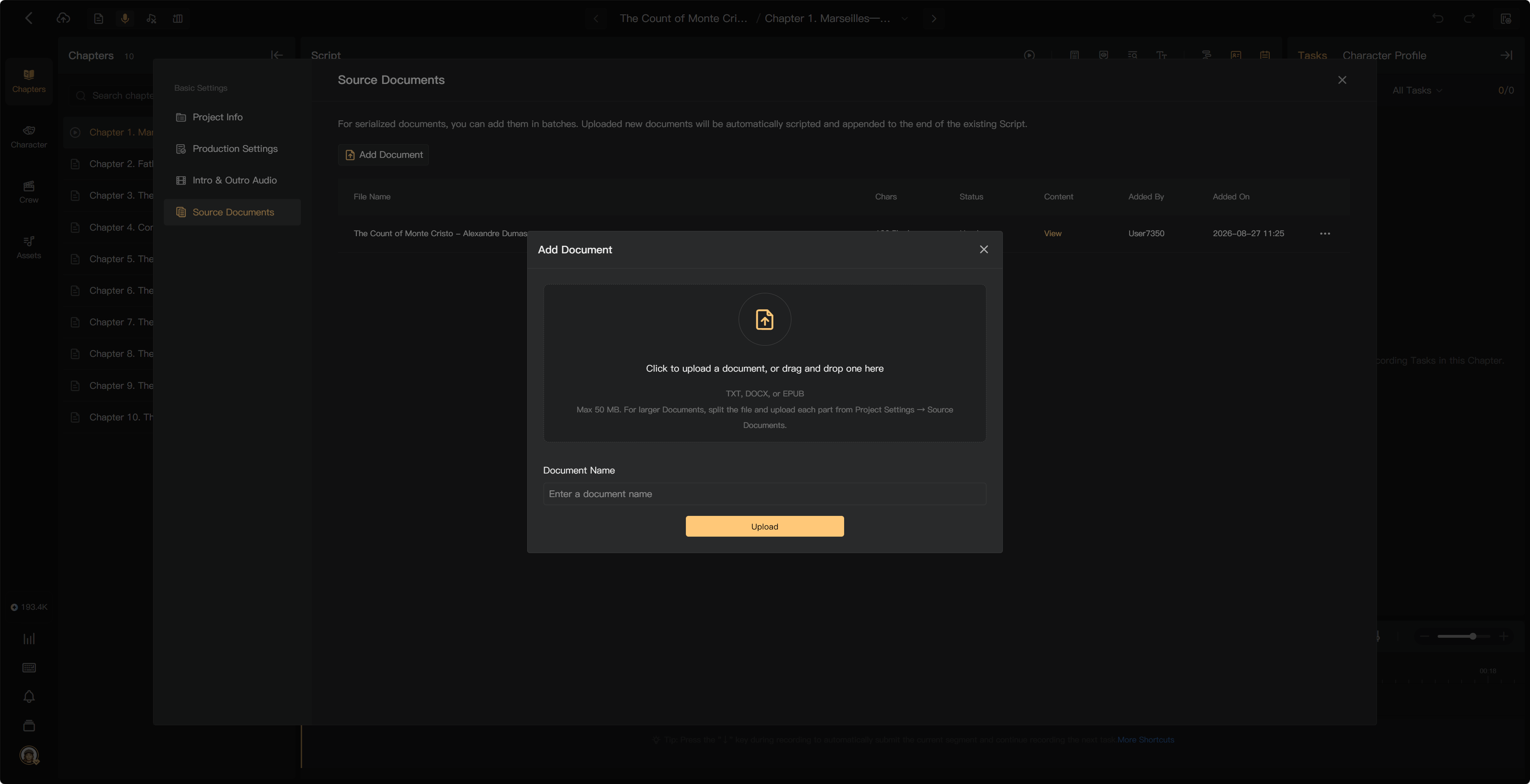
Use Project Settings → Source Documents to add another document to an existing project. Select Add Document, upload the new file, then review its chapter preparation and Smart Scripting steps.
New content is appended to the existing script according to the add-document flow. Check the new chapters and titles for duplicates. Adding new content is different from replacing an existing source document.
For manuscripts larger than the upload limit, split the source into parts and add the later parts through Source Documents.
Re-upload or replace a document
Use Re-upload Document only after checking the replacement notice. It replaces the selected document and discards edits made to it; the action cannot be undone. Check the listed scope for chapters, scripts, and audio before confirming.
For a few text corrections, edit the relevant script instead of replacing the whole source. Previously consumed AI credits are not restored merely because you replace input content.
Delete a chapter
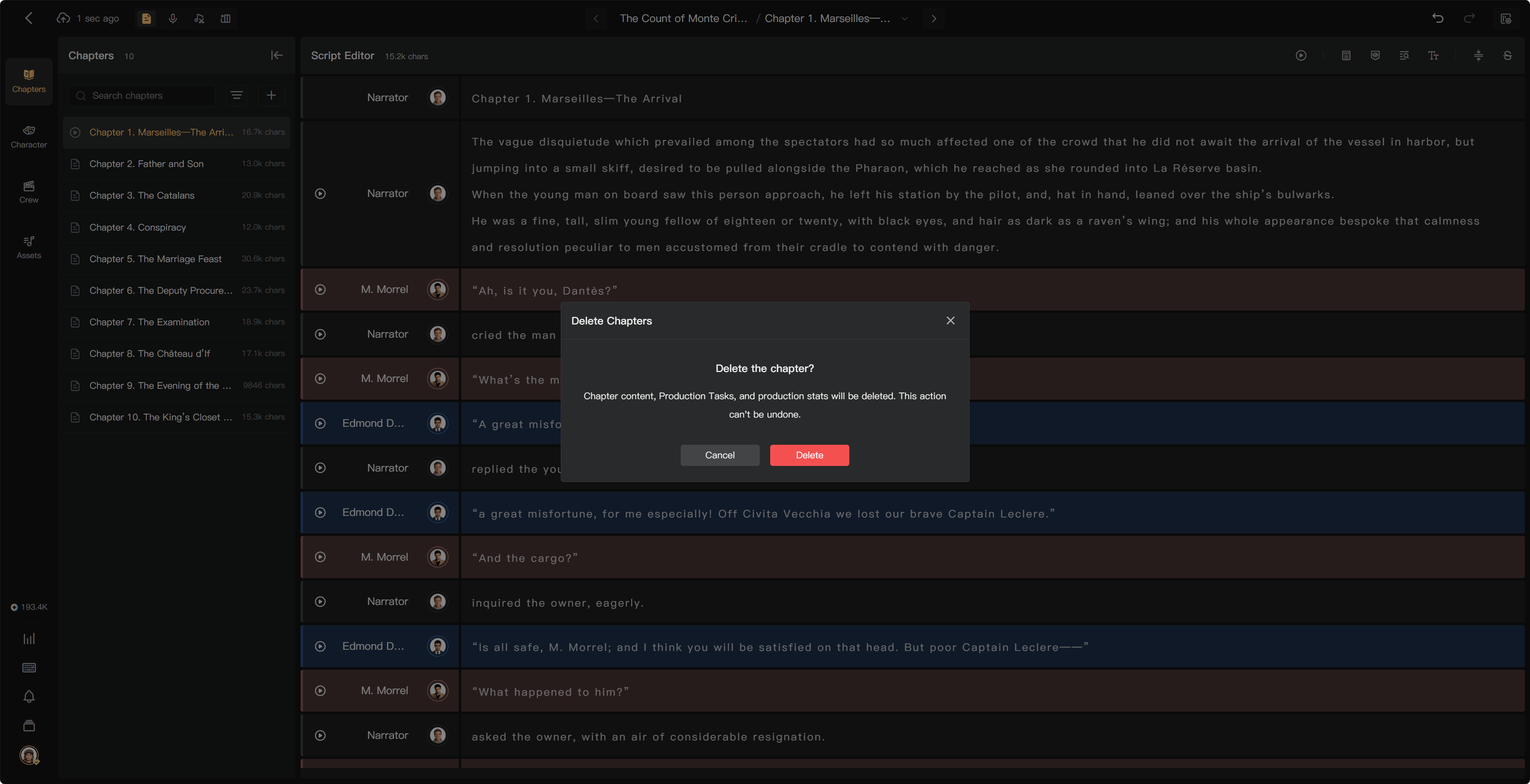
In Chapters, open the chapter's menu and select its deletion action. Review the selection and confirmation. Deleting a chapter also deletes its associated content, tasks, and production statistics and cannot be undone.
What costs credits?
Uploading a document itself does not use AI credits. Smart Scripting after upload does, and later narration, alignment, or review can also require credits. Adding a document may lead directly into scripting, so check the charge before continuing.
If chapter detection is wrong, adjust the structure before producing audio. See Chapter detection, Smart Chapter Split, and Edit manuscript and script text.