
Appearance
Mix chapter audio
Mixing combines the chapter's voice clips, music, and SFX into chapter audio. Configured intro/outro audio is added for final export. Check the content before mixing and listen to the result before downloading it.
Before mixing
- Assign voices or performers to the required characters.
- Generate missing AI audio and complete human recordings.
- Check clip order, gaps, trims, volume, and effects.
- Review Production Settings and Intro & Outro Audio.
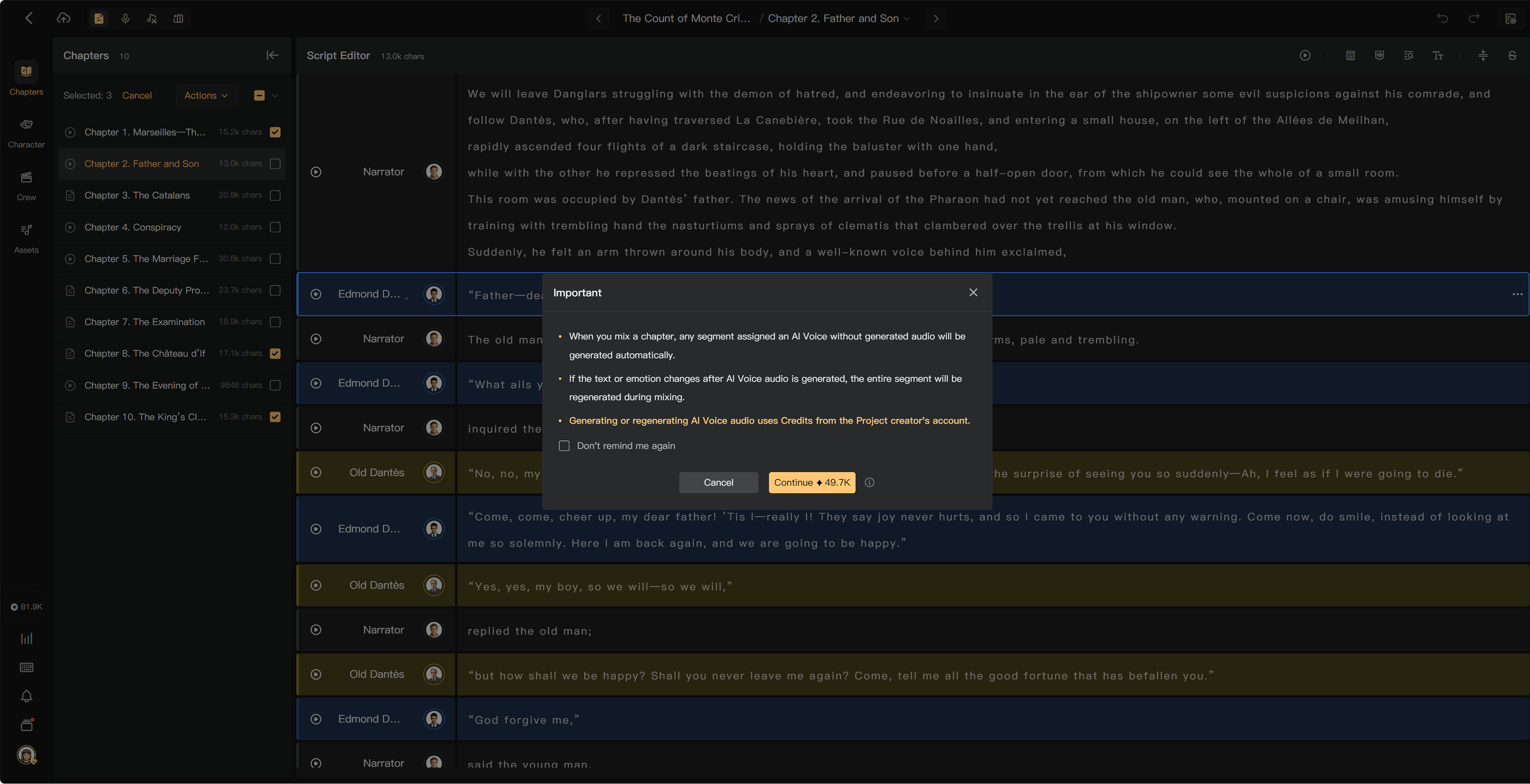
Missing human recordings can block a complete mix. A missing AI segment can trigger paid generation; review its charge before continuing.
Mix one chapter
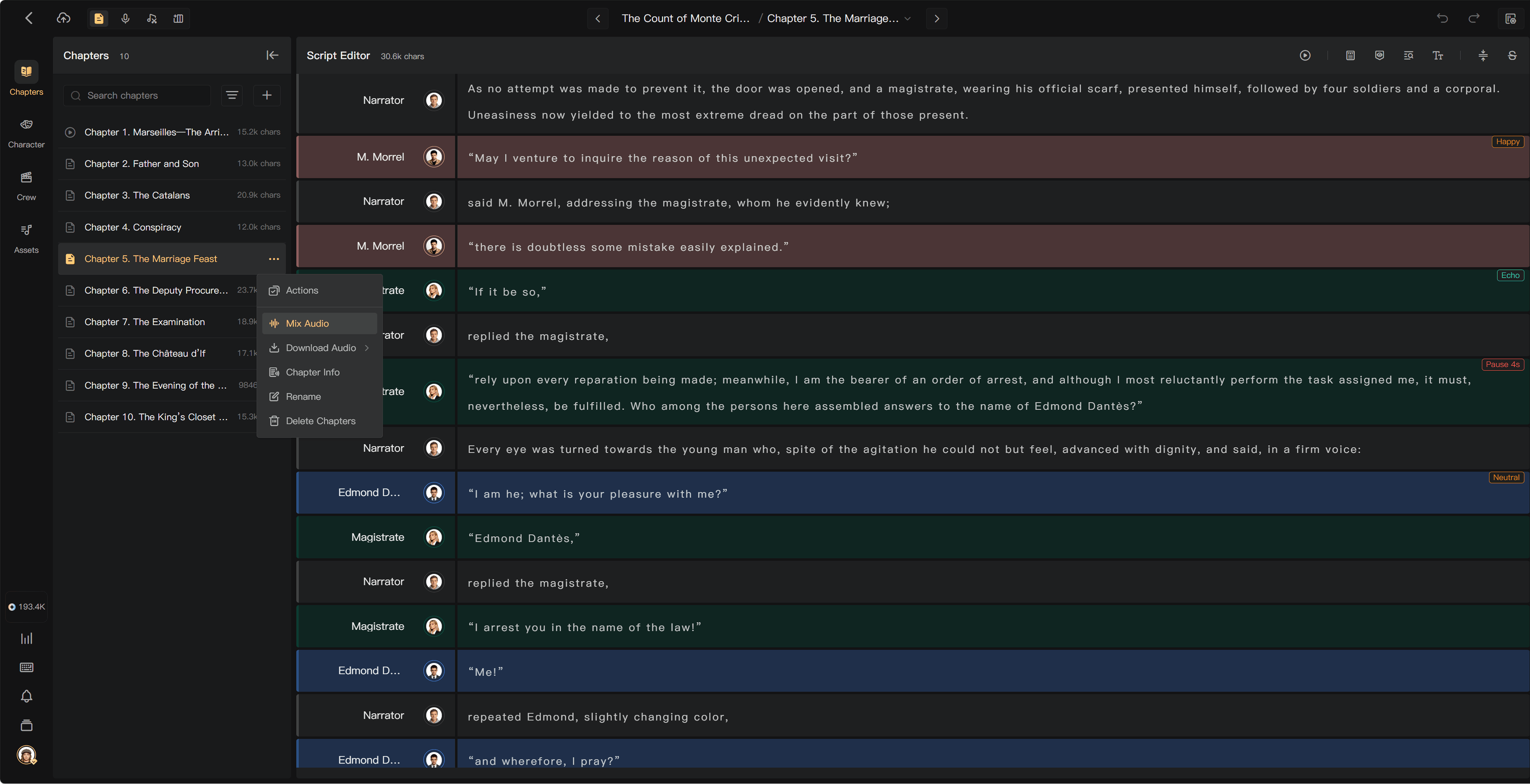
Open the chapter's action menu in Chapters and select Mixing. Review any missing-audio prompt, confirm eligible generation if needed, and track the mix in Processing.
When ready, play the mixed chapter and check its beginning, joins, and ending.
The chapter menu provides the mixing action, while chapter playback prepares current audio when needed. Check any missing-audio confirmation and listen after processing. An old mixed file remains out of date until a new mix includes your edits.
Batch Mixing
With an eligible paid membership, select several chapters and choose Batch Mixing. Use Shift-selection where available to select a range. Check the scope and any generation charge, then inspect each chapter's result and any skipped or failed chapters.
Free processes one chapter at a time. Paid plans provide concurrent chapter mixing; the interface shows the available processing capacity. Concurrency is how many can process together, not the total number you may mix.
Mixing does not itself use credits
Mixing and Chapter Audio generation do not use credits. AI voice generation or transcription does. If unchanged AI audio already exists, adding music, adjusting volume, mixing, and exporting do not charge for that narration again.
After an edit
Re-mix after changes that affect the deliverable. Downloading an older file is not the same as updating the mix. Check the latest result after replacements, trims, and settings changes.
MP3 and WAV options depend on membership and output settings. A format conversion can take time; track export processing if required.
See Post-Production mixing, Preview audio, and Download final audio.