
Appearance
Project Settings
Project Settings controls production information, delivery settings, documents, and collaboration. Configure the key options before recording, and check their effect on existing audio before changing them later.
Open settings
Open the project's settings action from the project menu or creation workspace. Available pages depend on the project mode and your permissions.
Basic settings
| Page | What it controls |
|---|---|
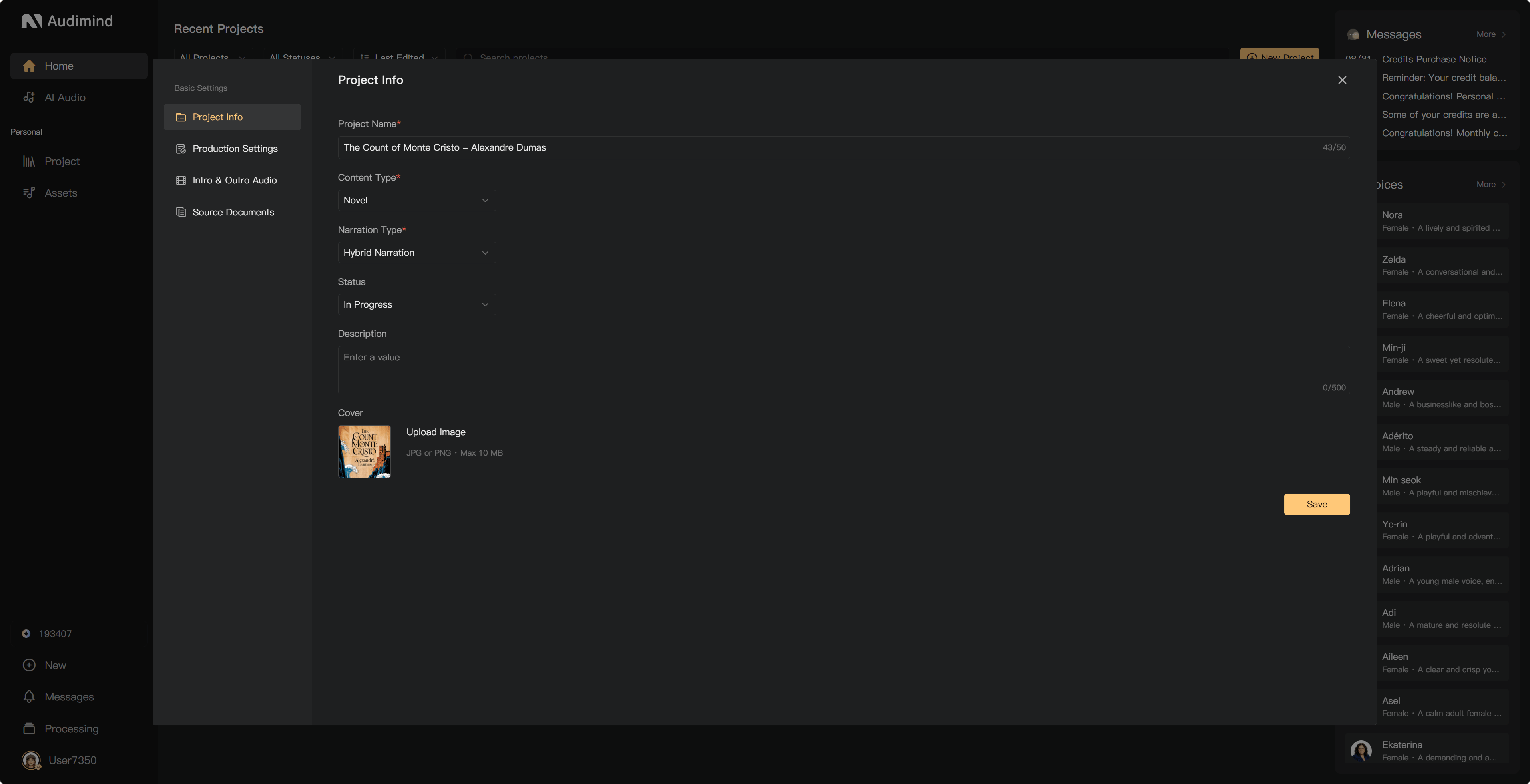
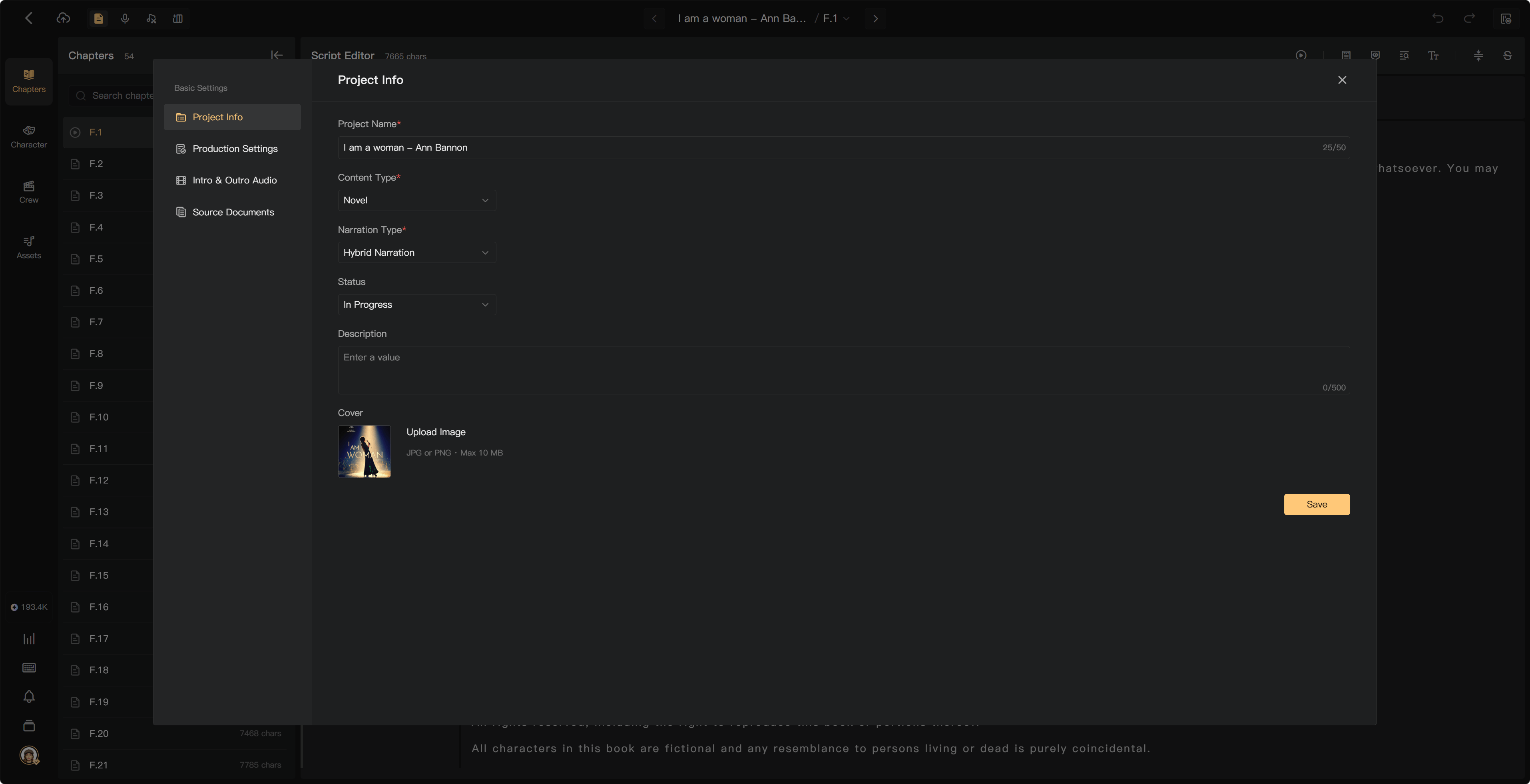
| Project Info | Name, content type, narration type, status, description, and cover |
| Production Settings | Production requirements, silence, and output-audio settings |
| Intro & Outro Audio | Audio to include before or after eligible chapter exports |
| Source Documents | Original documents and adding more content |
Project Info allows a name up to 50 characters, description up to 500 characters, and JPG or PNG covers up to 10 MB. Follow validation in the current form.
Intro and outro audio
Open Intro & Outro Audio, upload or choose the required clips, and check the chapter scope and addition rules. Review the exported beginning and ending. A review mix can omit these clips because they are added for final export.
Production requirements
Review the output and silence settings before producing a large batch. Changing a setting does not update an already-downloaded file; prepare the affected mix or export again and check its actual sound.
Collaboration settings
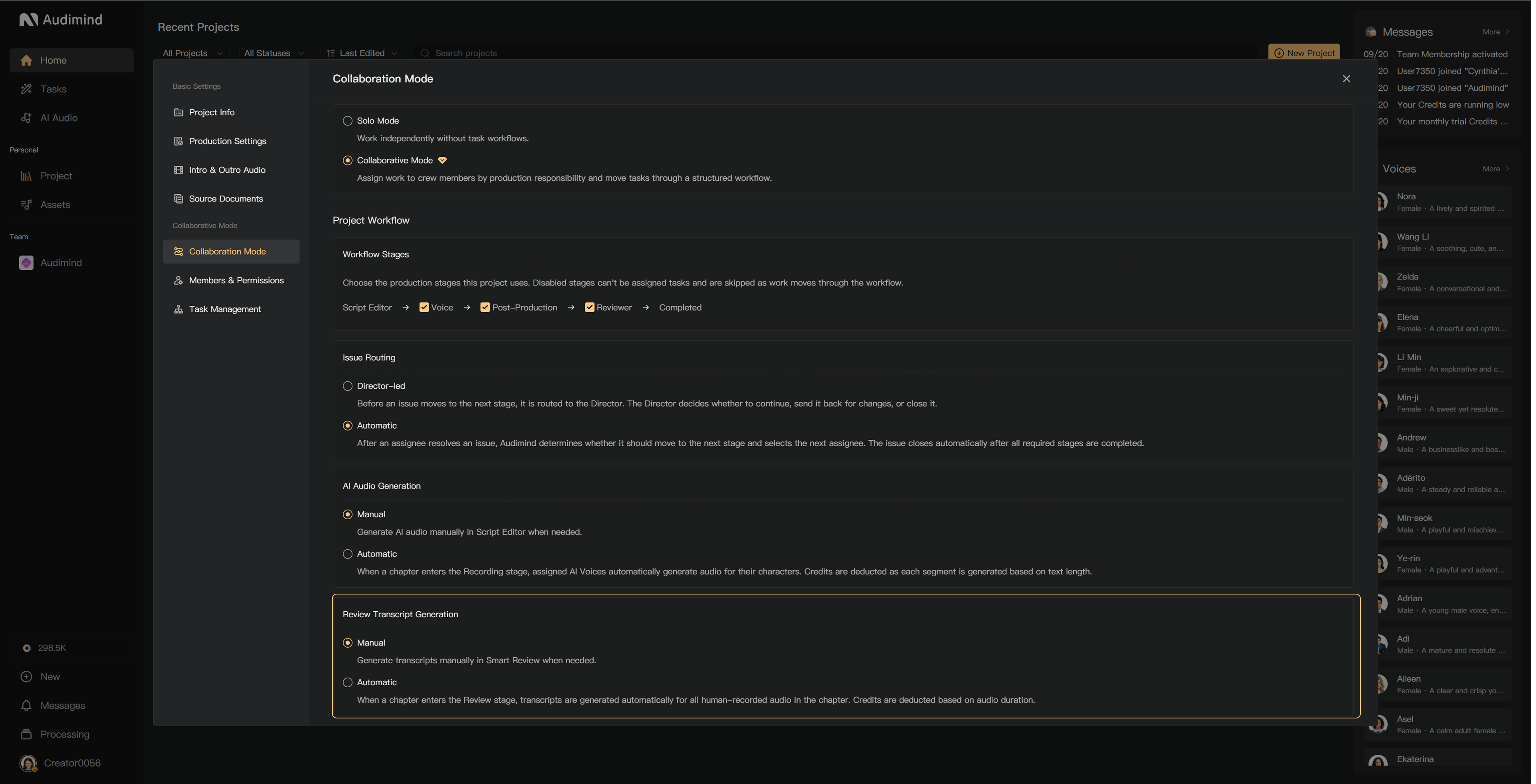
The Collaboration Mode page provides project-mode and workflow controls. Solo Mode supports independent creation. Collaborative Mode enables crew duties and task handoffs.
The workflow controls which stages are used. Review is optional. Issue Routing chooses an automatic or director-led correction flow. Members & Permissions and Task Management control crew access and assignments.
Generation modes
AI Audio Generation:
- Manual: generate AI audio in Script Editor when ready.
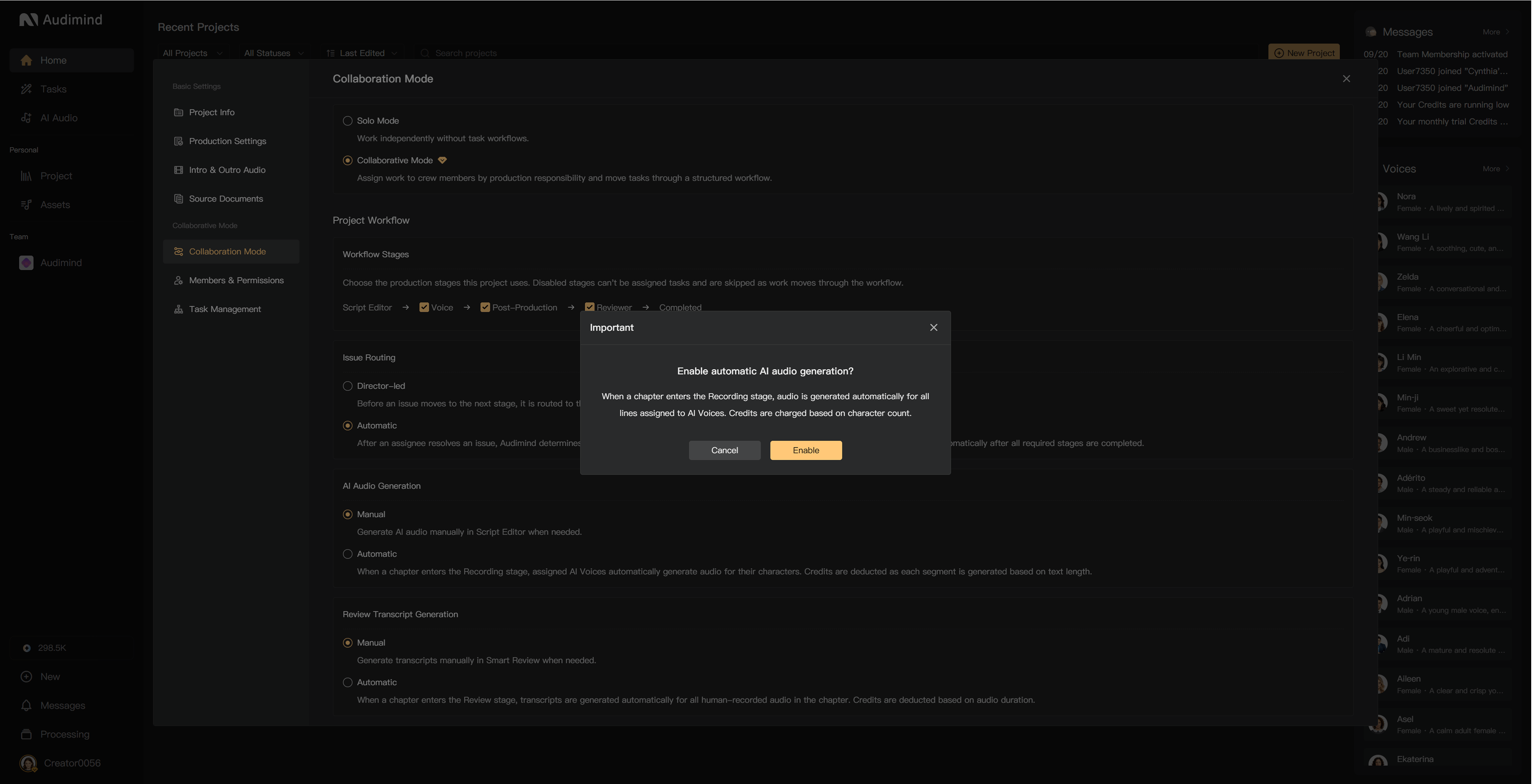
- Automatic: assigned AI voices generate their lines when the chapter enters Recording.
Review Transcript Generation:
- Manual: an authorized member generates transcripts in Smart Review.
- Automatic: human recordings are transcribed when the chapter enters Review.
These options consume credits as processing completes. The creator configures them and pays for project processing. Review the enabling prompt; automatic modes require the appropriate project mode and available balance.
Changing settings after production starts
Check the affected chapters and existing-audio options. New settings can apply to newly created audio while existing audio requires you to choose whether to update or remix it.
Switching back to Solo Mode requires outstanding tasks to be resolved. Changing a mode does not replace checking the production work already done.
See Configure workflows, AI generation modes, and Final audio.