
Appearance
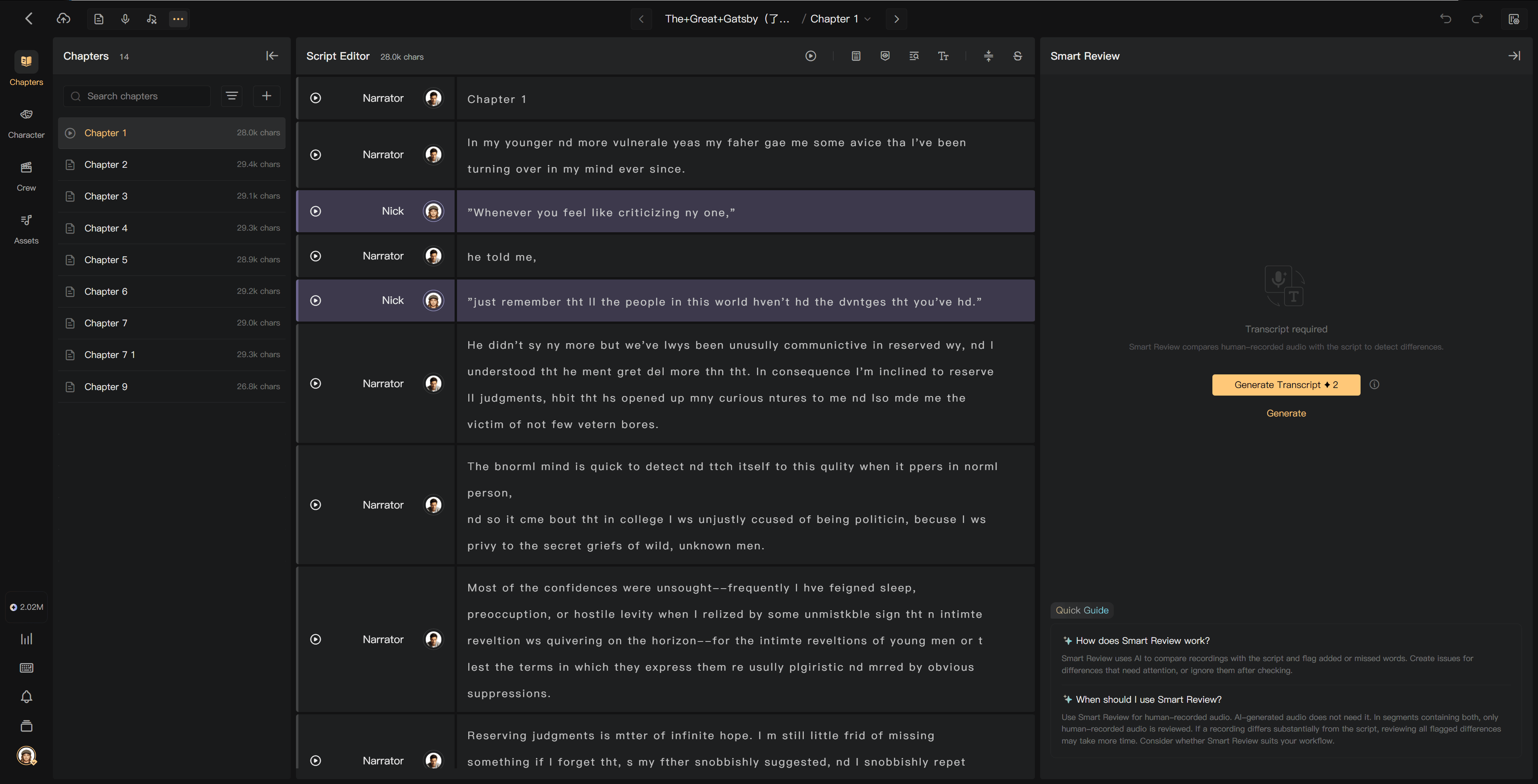
Generate review transcripts
In manual mode, generate transcripts for eligible human-recorded audio before reviewing its differences from the script.
Open Smart Review
Use the creation page's view controls to open Smart Review. The view may be grouped with Smart Alignment under the additional-view menu. Select the chapter to review.
The workspace displays script passages and their recognition or comparison result. Before transcripts exist, use the generation controls; afterward, use the filters and passage actions to work through differences.

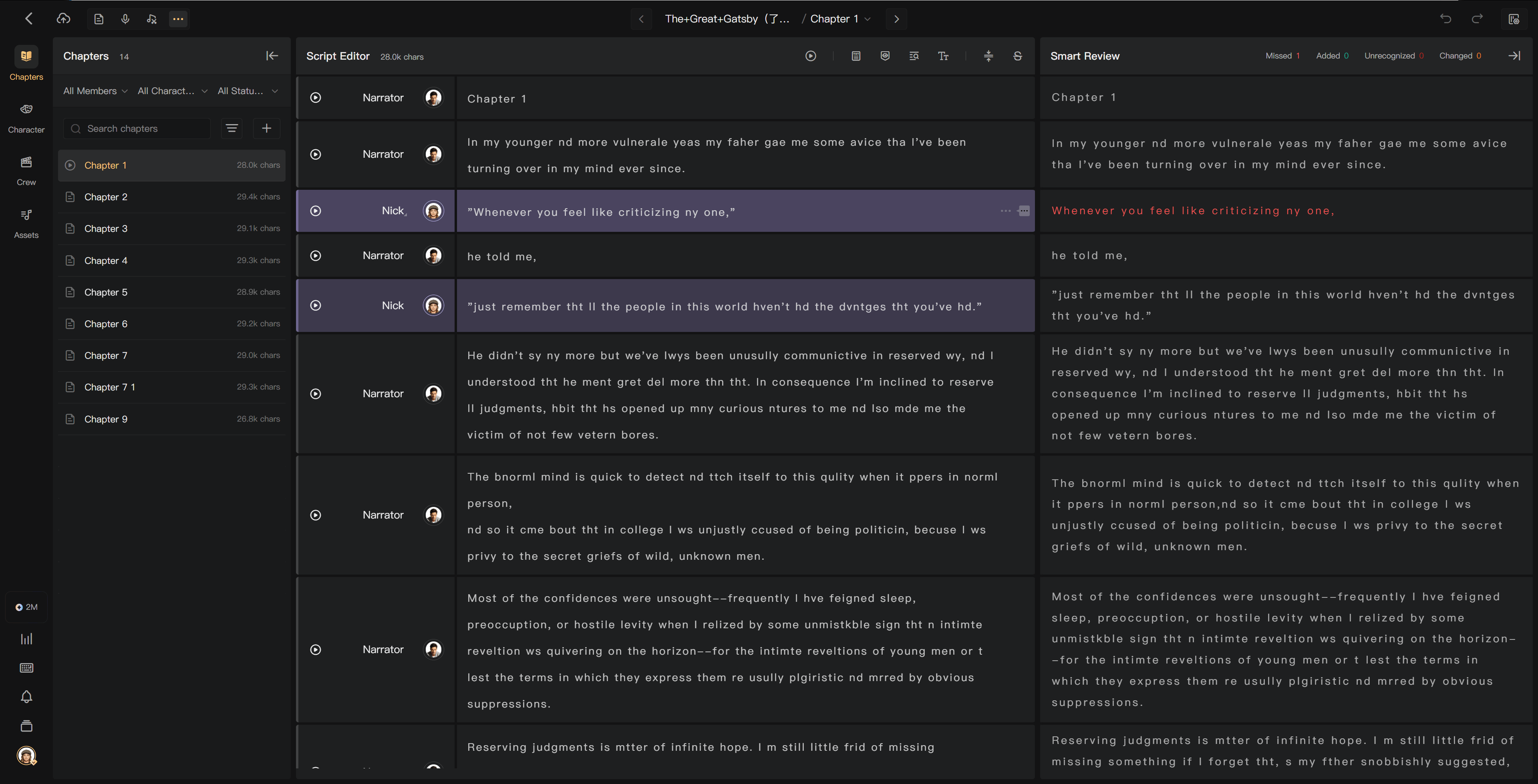
Generate for the chapter
- Check that recording is complete and the chapter is eligible for Review.
- Select Generate Transcript and check the displayed credits.
- Confirm generation.
- Wait for processing to finish, then inspect the differences.
The project creator pays for transcription. If their balance is insufficient, ask them to top up. Generating also requires the appropriate permission.
Generate in a batch
Use Generate Transcripts, choose the start and end of the chapter range, review the eligible work and total charge, then submit.
Only chapters in the Review stage are processed; other chapters are skipped. Within the selected range, human recordings that need transcripts are processed. AI audio is excluded and not charged. Existing usable transcripts do not need duplicate generation.
Track processing
Transcription runs in the background. Check Processing and the chapter's review indicators. You can work elsewhere while it runs. Refresh to inspect the latest result if the view has not updated.
If a task fails or remains in progress unexpectedly, read its status before retrying. Contact support with the project, chapter, and task reference if needed.
After an edit
Changing script text can change the comparison without changing the recognized speech. Changing the recording makes its old transcript stale; use Regenerate Transcript for the affected passage, or the batch regeneration action for changed audio.
See Read review results, Batch review, and Credit usage rules.