
Appearance
Complete Recording and hand off the chapter
Before handing off Recording, check all speech required by the chapter. Marking one performer's task complete is different from completing the whole Recording stage.
Readiness check
- Required human segments have saved recordings.
- Required AI audio has been generated or is covered by the configured automatic generation flow.
- Character assignments and performance guidance are correct.
- Reference-only text is handled according to its reference settings.
- Missing or incorrect recordings have been resolved.
Manual mode requires the needed AI recordings before the next handoff. Automatic mode can generate AI segments through the configured workflow, but it does not complete missing human performances.
Complete your task
Use Tasks or the creation page's top-right task control to mark your active Recording task complete. Read the confirmation. A Waiting task cannot be completed while a preceding stage remains unfinished.
If several performers share the chapter, other Recording tasks may remain after you finish yours.
Manage chapter movement
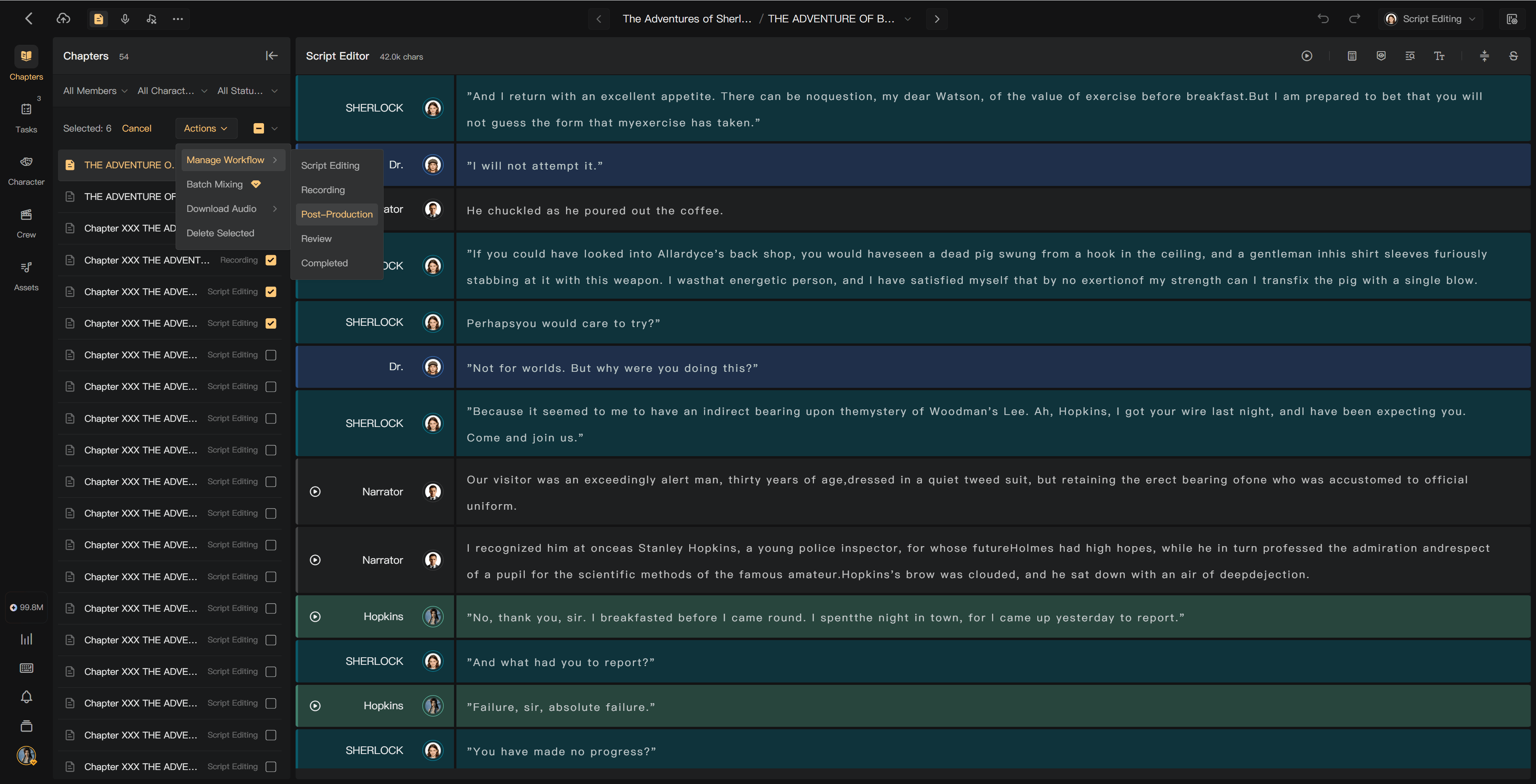
The director or an authorized workflow manager uses the chapter stage control or a batch chapter action. Forward movement checks prerequisites and unfinished tasks. Inspect any chapters skipped during a batch operation.
The next stage follows the project workflow, typically Post-Production and then optional Review. Solo creation does not use assigned crew task handoffs.
If a correction is needed later
Create an Issue identifying the chapter, segment, and expected correction. Ask the director or workflow manager to reopen the relevant work when needed. Re-record, upload a replacement, or correct AI text/settings and regenerate.
Check downstream edits, regenerate changed-audio transcripts, and update the final mix after the correction.
See Chapter stages, Assign duties and tasks, and Resolve review issues.