
Appearance
Manual and automatic AI audio generation
The generation mode determines when AI audio is created. Choose Manual to control the timing yourself, or Automatic for generation triggered by the collaborative workflow.
Manual generation
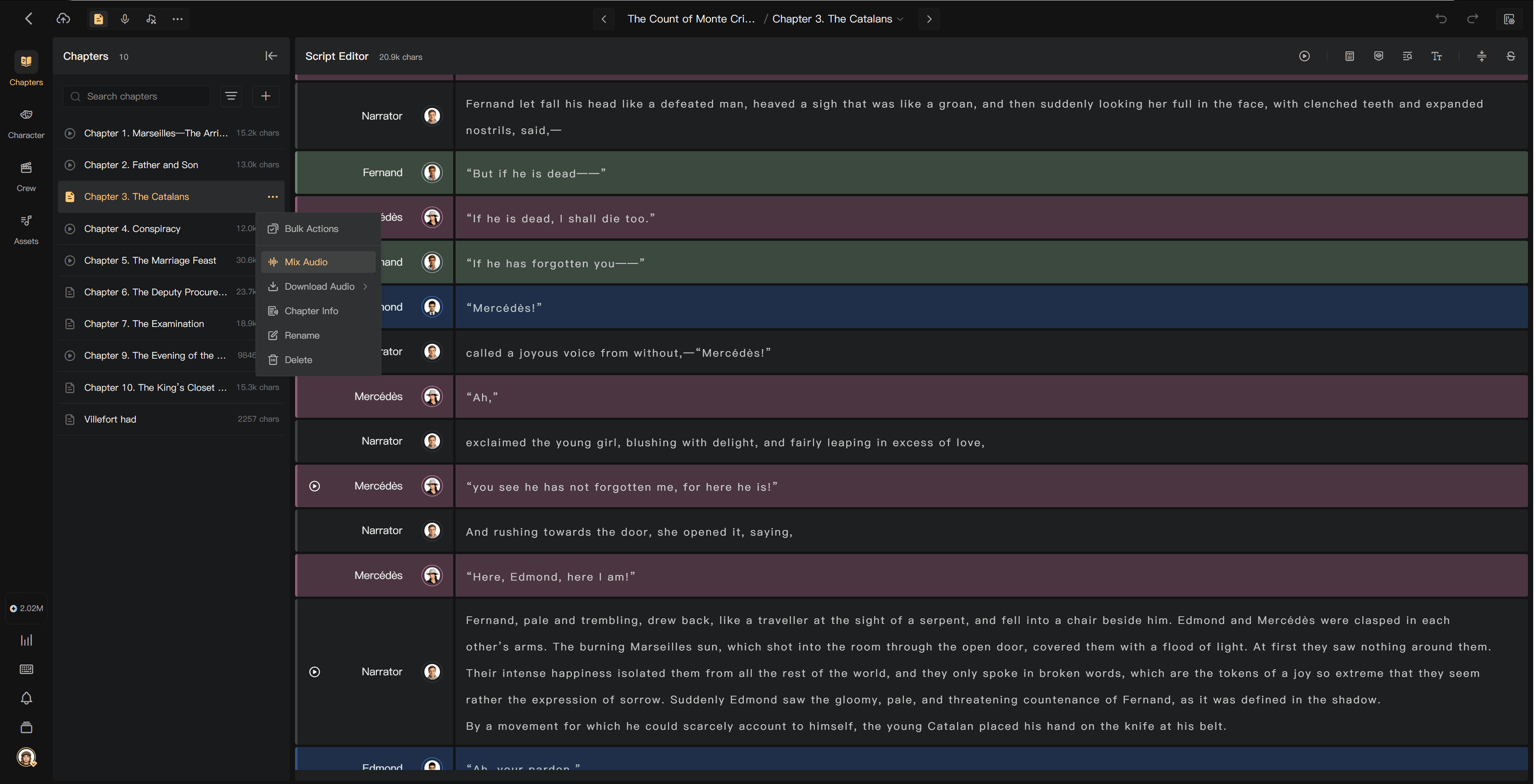
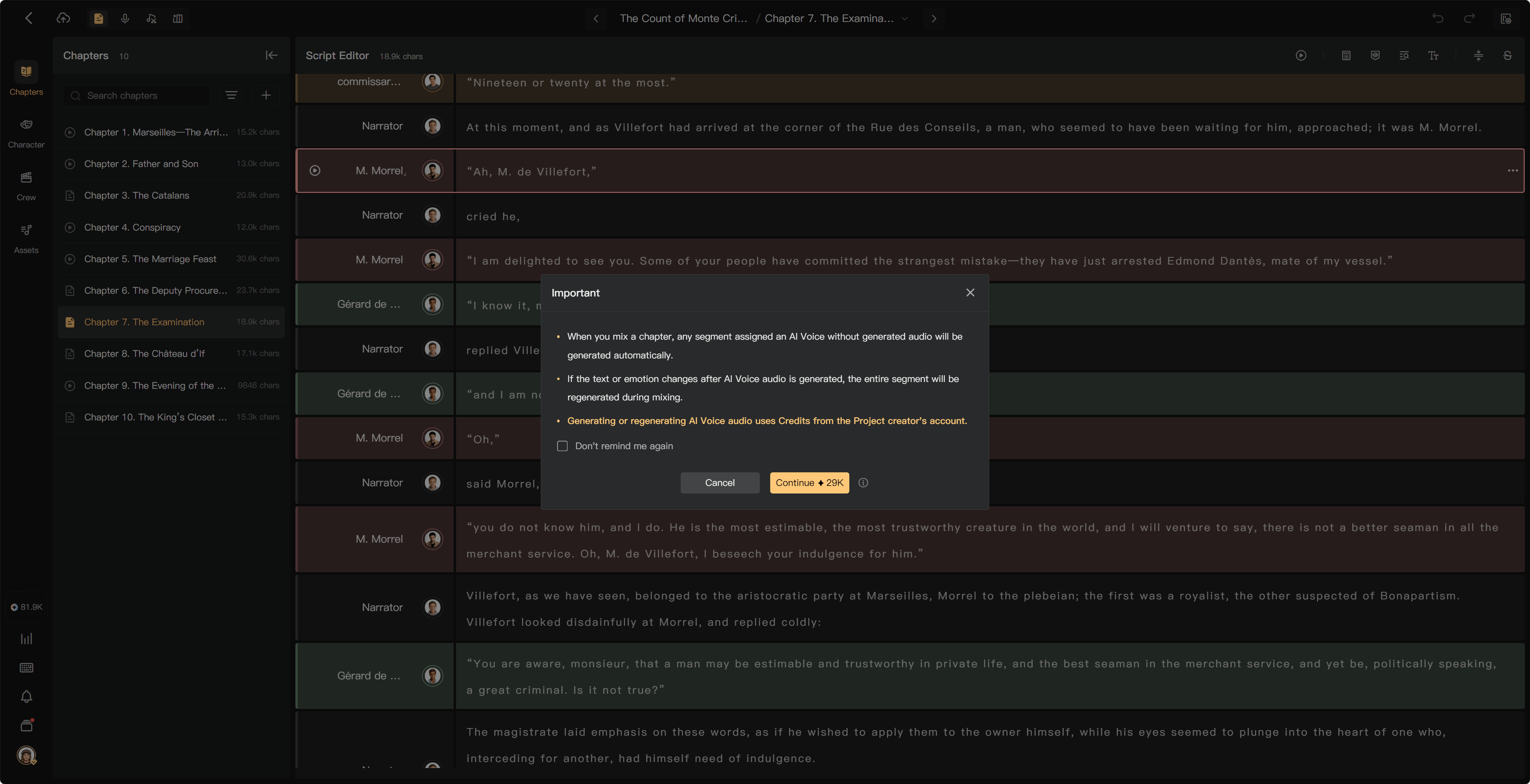
Manual is the default. In Script Editor, play a segment or use the chapter playback or mixing action. If new AI audio is needed, check the generation charge and confirm before proceeding.
Existing unchanged audio is played or mixed again without another narration-generation charge. A text, emotion, or other generation-setting change can require a new result.
Start with one representative segment. Open its play control, review the generation confirmation, and listen when processing finishes. Once voice choices and guidance are satisfactory, use chapter playback or Mixing for the larger scope.
Automatic generation
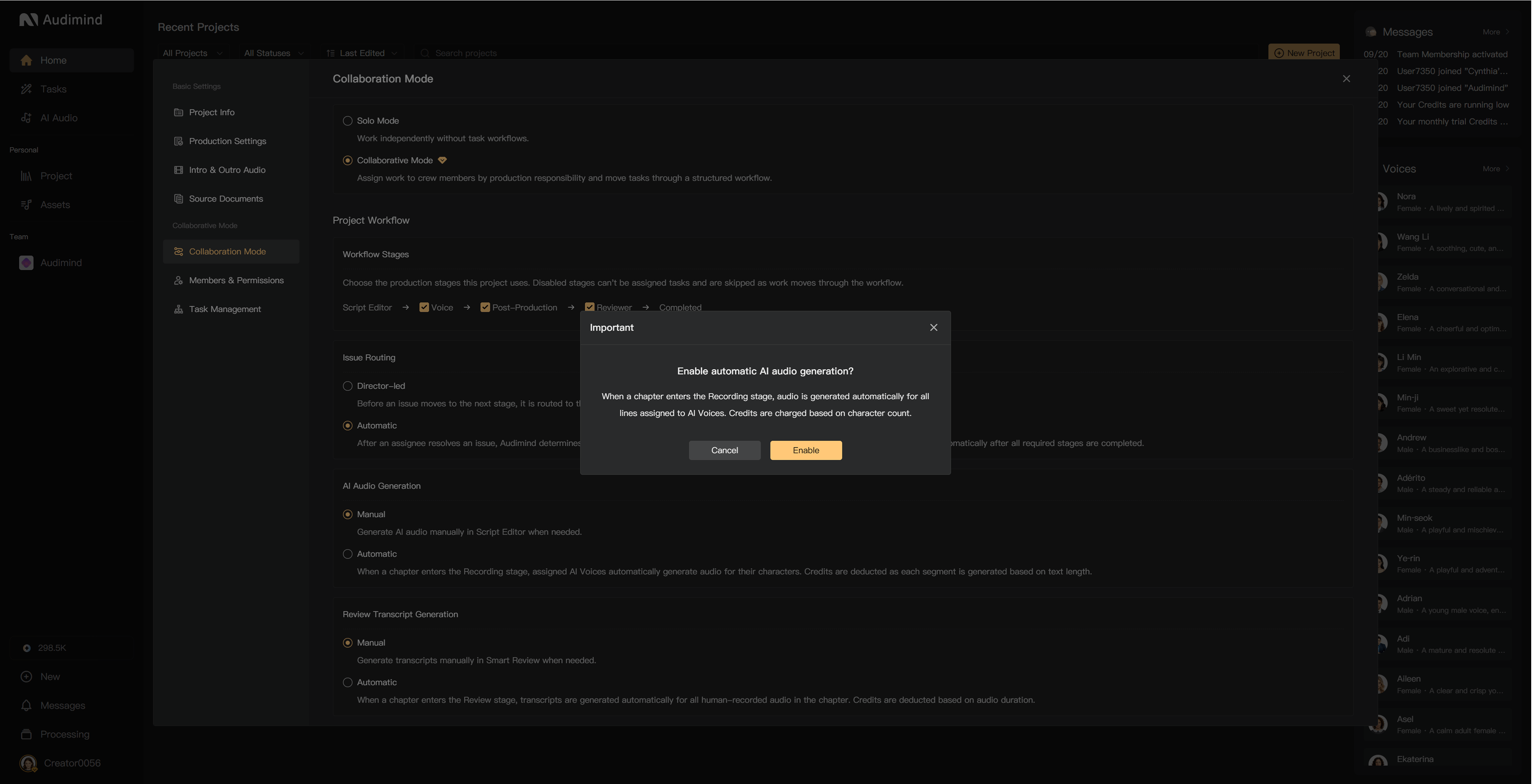
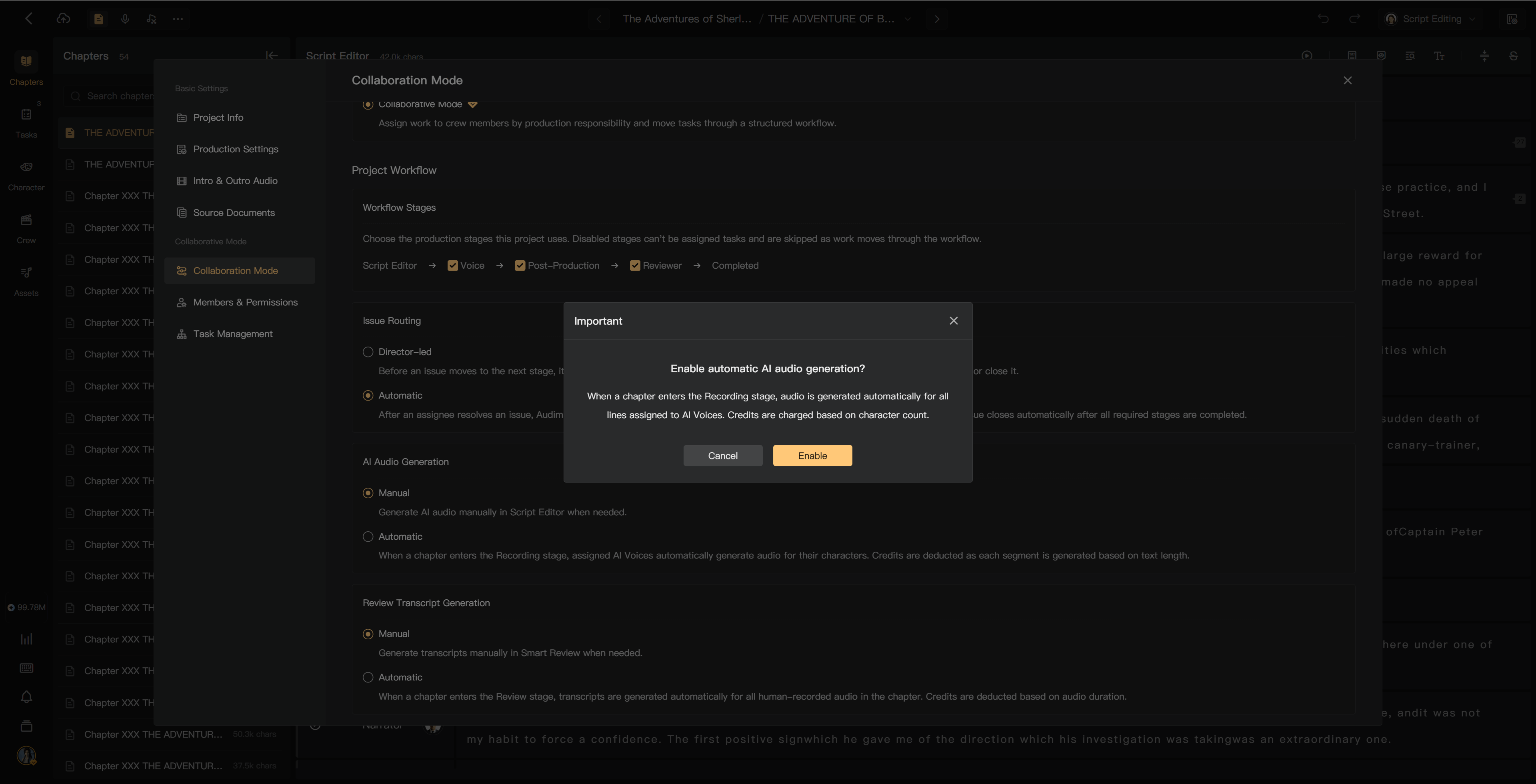
The project creator opens Project Settings → Collaboration Mode and sets AI Audio Generation to Automatic. Read the prompt and select Enable to confirm.
When a chapter enters Recording, assigned AI voices generate their character lines. Credits are charged as each segment completes, based on text length. The creator does not confirm every segment separately after enabling the mode.
Check character assignments, voices, language, reference text, and performance guidance before moving chapters into Recording. An automatic mode does not make generation free or correct script errors for you.
Compare the modes
| Aspect | Manual | Automatic |
|---|---|---|
| Trigger | You start the operation | The configured chapter workflow |
| Timing control | Review before generation | Prepare the script before the stage handoff |
| Payment | Project creator's credits | Project creator's credits |
| Later correction | Regenerate affected audio | Regenerate affected audio |
Automatic options depend on the project mode. Solo Mode uses manual generation ; batch mixing is a separate way to process several prepared chapters when your membership allows it.
Corrections and failures
You can still change and regenerate a segment after automatic generation. Check the new charge first. Missing human recordings must be recorded or uploaded; automatic AI generation does not fulfill a human performer's task.
Use Processing to check progress. Failed portions are not charged; successfully completed portions can be charged. Changing the mode should not be treated as canceling a task already in progress.
Preview versus mixing
Previewing an existing result and mixing its clips do not themselves use credits. Only new AI processing does. Previewing first does not require the same unchanged narration to be paid for again merely because you later mix it.
See Preview audio, Mix chapters, and Credit usage rules.