
Appearance
Read and filter review results
Use the differences to locate passages, then listen to the current audio before choosing an action. A highlighted difference is a review prompt, not a final judgment.
Read the indicators
| Indicator | Display / meaning | Action |
|---|---|---|
| Missed | Red text: script content absent from recognized speech | Check whether the performer omitted words or recognition missed them |
| Added | Green text: recognized content absent from the script | Check for extra words, a retake, or recognition error |
| Unrecognized | Recognition did not produce usable text | Listen manually and decide whether correction is needed |
| Changed | Audio was replaced after transcription | Regenerate the transcript before relying on the comparison |
A wrong word can show both a missing original word and an added recognized word. It does not require a separate Misread filter.
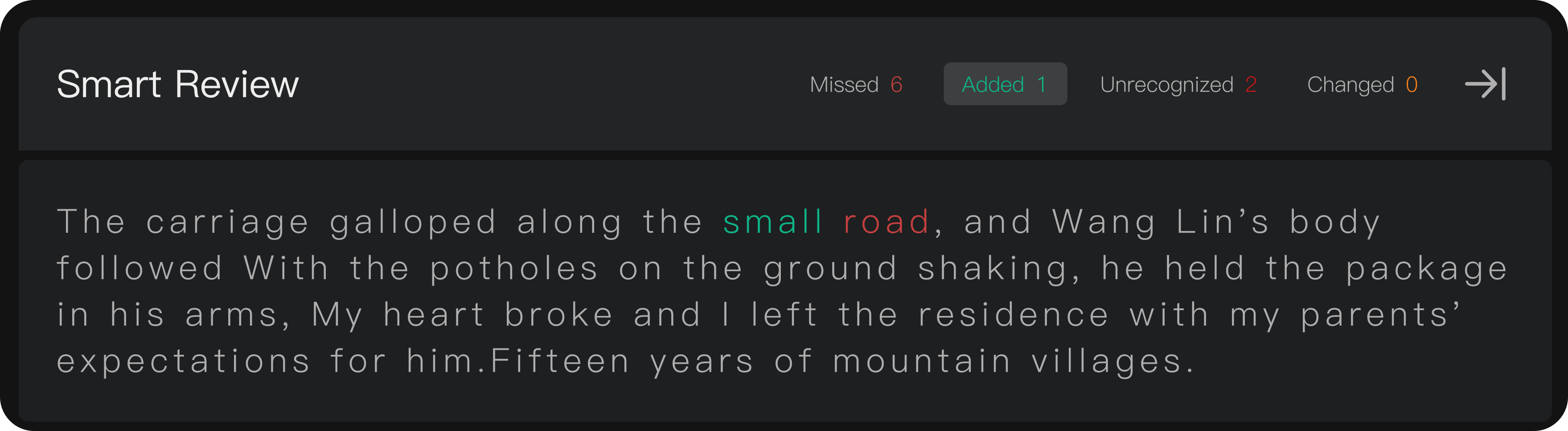
Filter passages
Select an indicator or use the available review filters to focus on one kind of result. Return to the full script view when you need context. Check that a filter is not hiding unresolved passages before completing review.
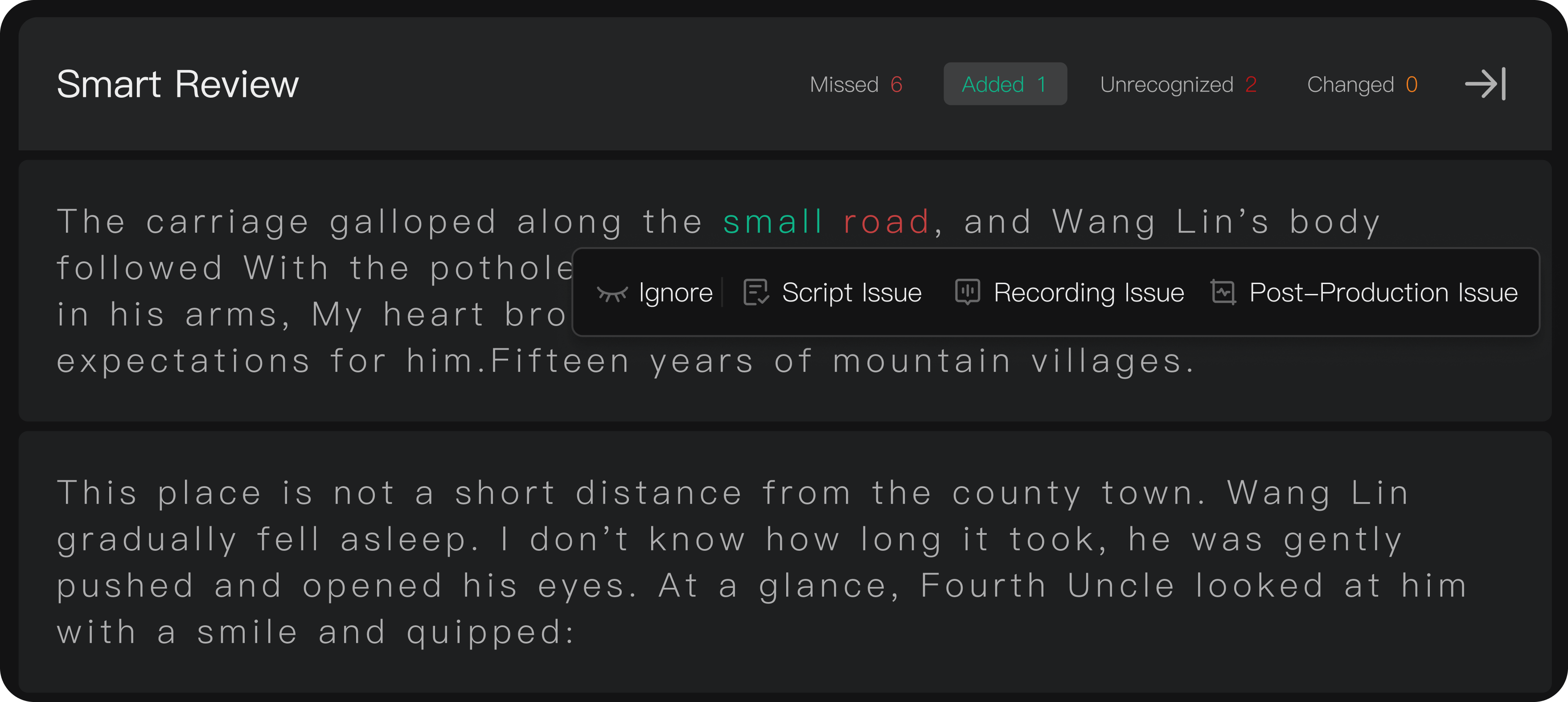
Act on a difference
Click the highlighted text and choose Ignore for an acceptable difference or recognition error, or Create Issue for a correction. Explain the actual recording problem rather than copying an unreliable transcript without listening.
Updated recordings
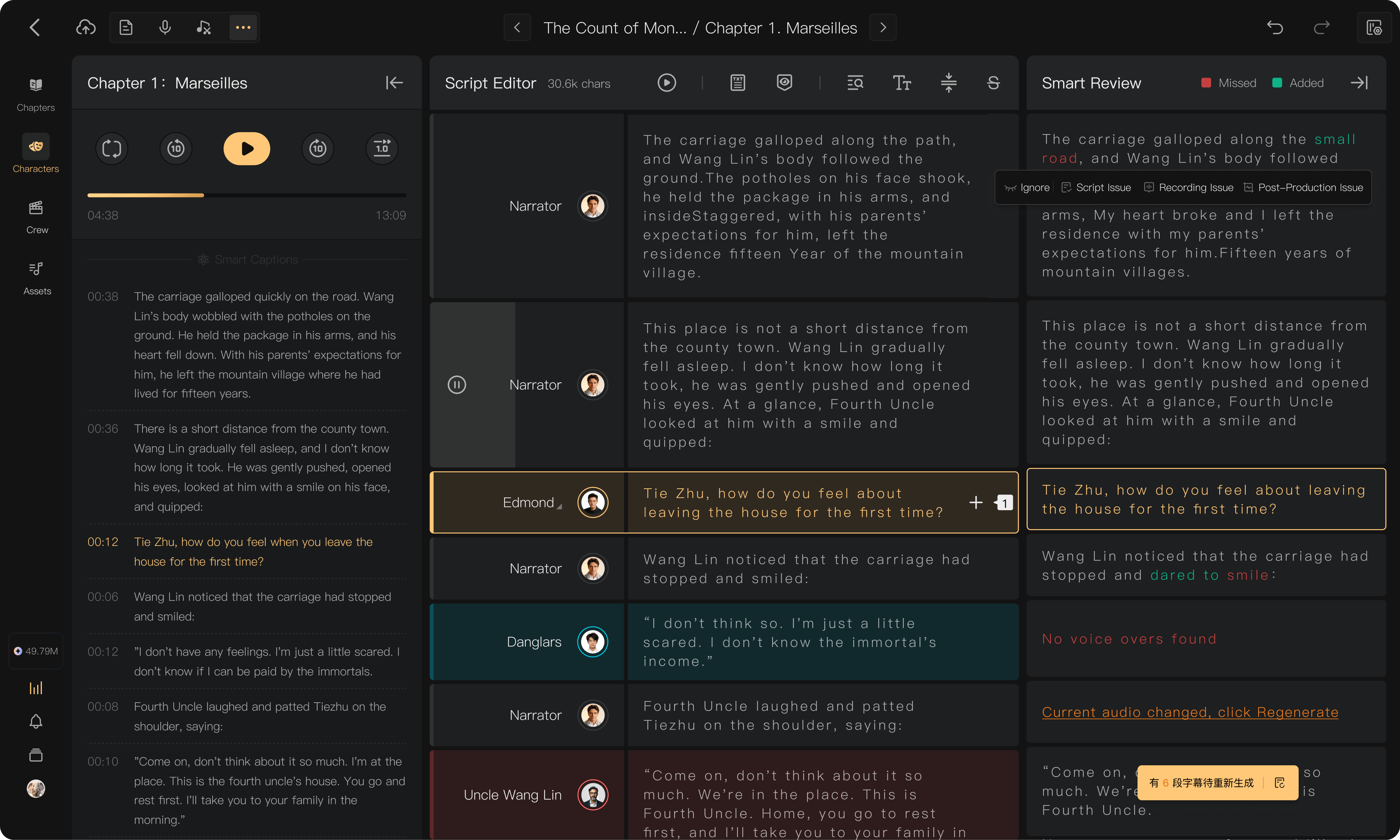
For Changed audio, use Regenerate Transcript, review its charge, and check the new result when processing completes. Use batch regeneration when several segments have changed. Previously accepted results do not establish that a replacement recording is correct.
Open the changed passage's regeneration action, confirm the selected audio and charge, and wait for the new comparison. A newly transcribed passage still needs listening and acceptance; processing completion is not review completion.
Unrecognized passages
Listen to the full line and its context. If it is correct, handle it as manually reviewed using the available action. If speech is missing, distorted, or unclear, create an Issue for the responsible production step.