Appearance
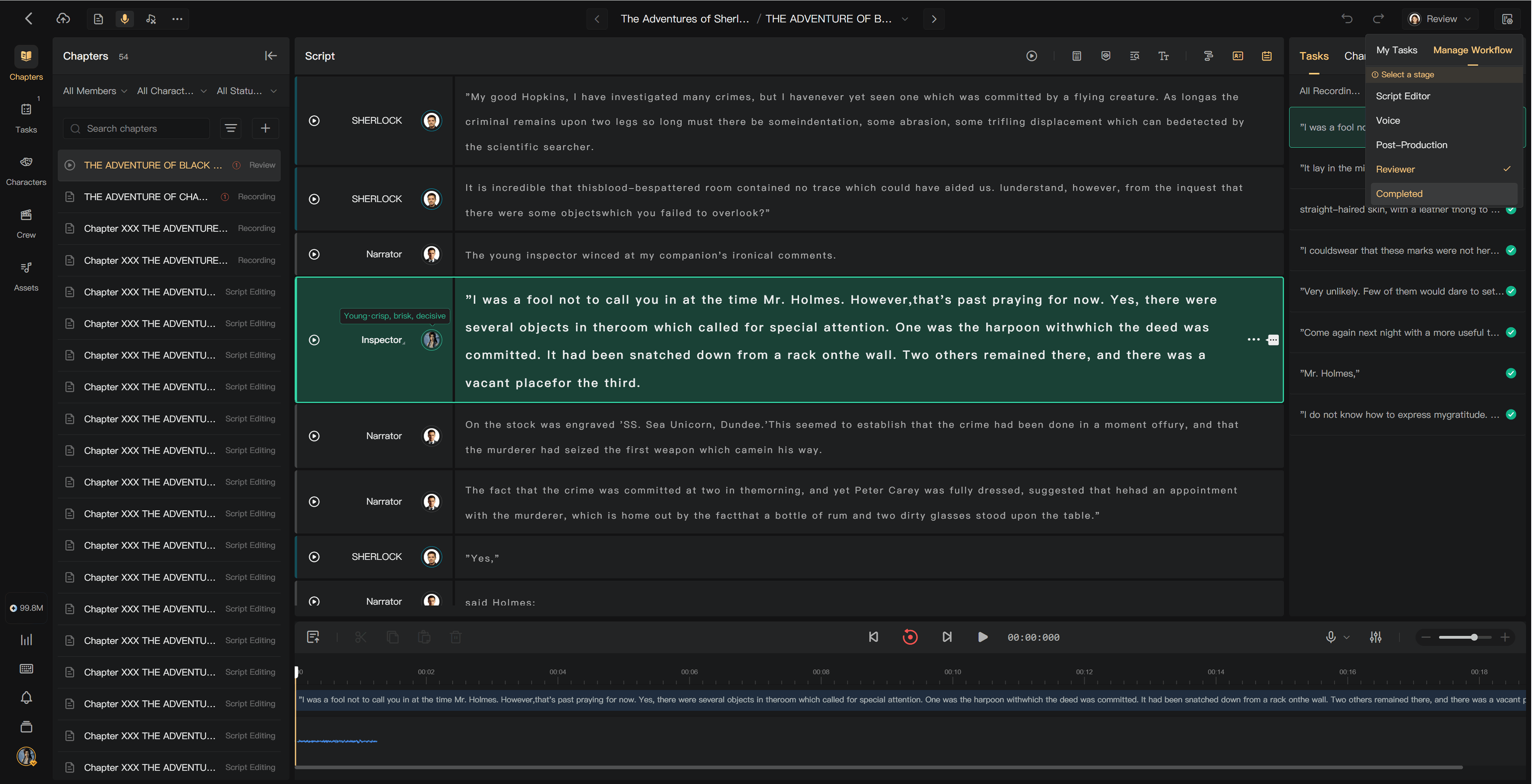
Chapter stages and task status
A chapter's Stage shows its place in production. Your task status shows whether your own assignment can start, is in progress, or is complete. Check both before marking work complete.
Production order
Collaborative chapters move through Script Editing → Recording → Post-Production → Review → Completed. If Review is disabled, it is skipped. Mixing can also appear while a background mix is processing.
Use Chapters to see chapter progress. The creation page's top-right status control shows the current stage and relevant assignee.
Complete your task
Open the status control or Tasks, check your active assignment, and select its completion action. Confirm that the work is ready for the next stage.
- Waiting: the previous stage is unfinished; you cannot mark the task complete.
- In progress: you can work and mark it complete.
- Completed: contact the director or authorized workflow manager to reopen it.
If several performers have Recording tasks, completing yours does not necessarily complete the whole chapter's Recording stage.
Manage chapter movement
Directors and members with workflow-management permission can use the chapter status control or the batch action in Chapters.
- Move forward: skipped stages must not contain unfinished tasks.
- Return to an earlier stage: relevant tasks reopen for correction.
- Batch movement: each selected chapter is checked; inspect any chapters that were skipped or blocked.
Inform the responsible members before returning a chapter to an earlier stage. When returning to Recording, select the performer requested by the dialog. Corrections to AI audio can route back to Script Editing.
Recording status display
The display prioritizes your own unfinished Recording task, then another human performer, and then an AI voice where the chapter uses only AI audio. Use the full task list to see every assignment rather than treating the displayed avatar as the only performer.
Editing after recording
Splitting a recorded segment can leave new segments without usable audio and reopen the responsible recording work. Review audio and tasks after structural edits, and use Undo promptly if the split was accidental.
Solo projects do not use collaborative task assignments. See Configure the workflow and Task management.