Appearance
Final Audio and export
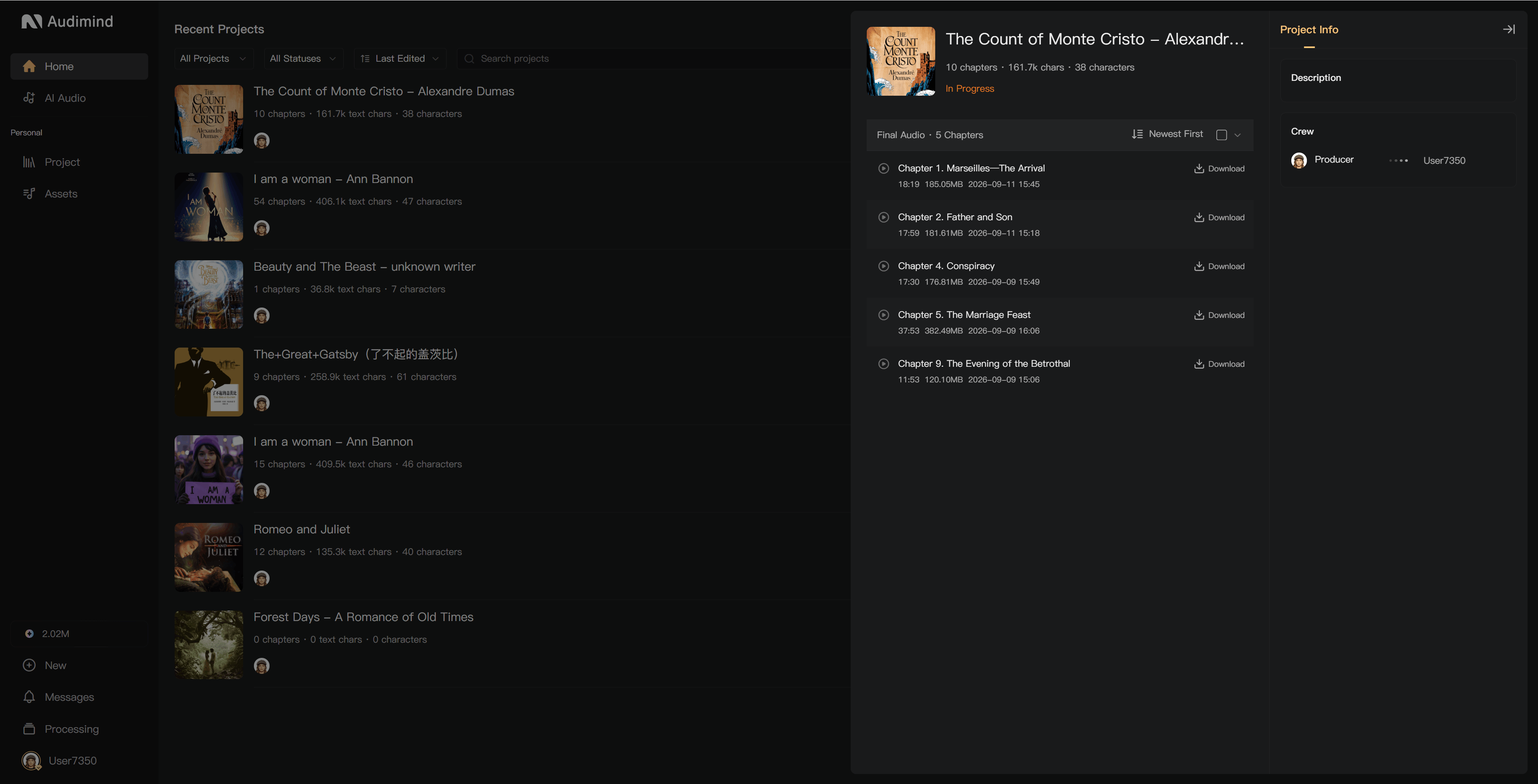
Use Export to find and download the chapter audio ready for delivery. Check the mix before downloading, especially after changes to recordings or Post-Production settings.
Which chapters appear?
- Solo projects: chapters with mixed audio can appear in the Final Audio list.
- Collaborative projects: chapters must reach the completed stage of the configured workflow. A mix made during Recording is not necessarily the final deliverable if Post-Production or Review remains unfinished.
If the project has intro or outro audio configured, final export includes it. Check that the required audio has actually been uploaded.
Open Export
- Find the project in Projects.
- Open its … menu and select Export.
- In the export panel, use the new-window control if you want to work in a separate tab.
Access and download actions depend on your project permissions.
Read the panel
The panel shows project information and the eligible chapters. For each chapter, check its duration, file size, latest mix time, and download status. Project information can also include the description and production crew.
A distribution area may be marked Coming soon. For current delivery, download the audio and upload it through your chosen distributor's own tools.