
Appearance
Choose a membership
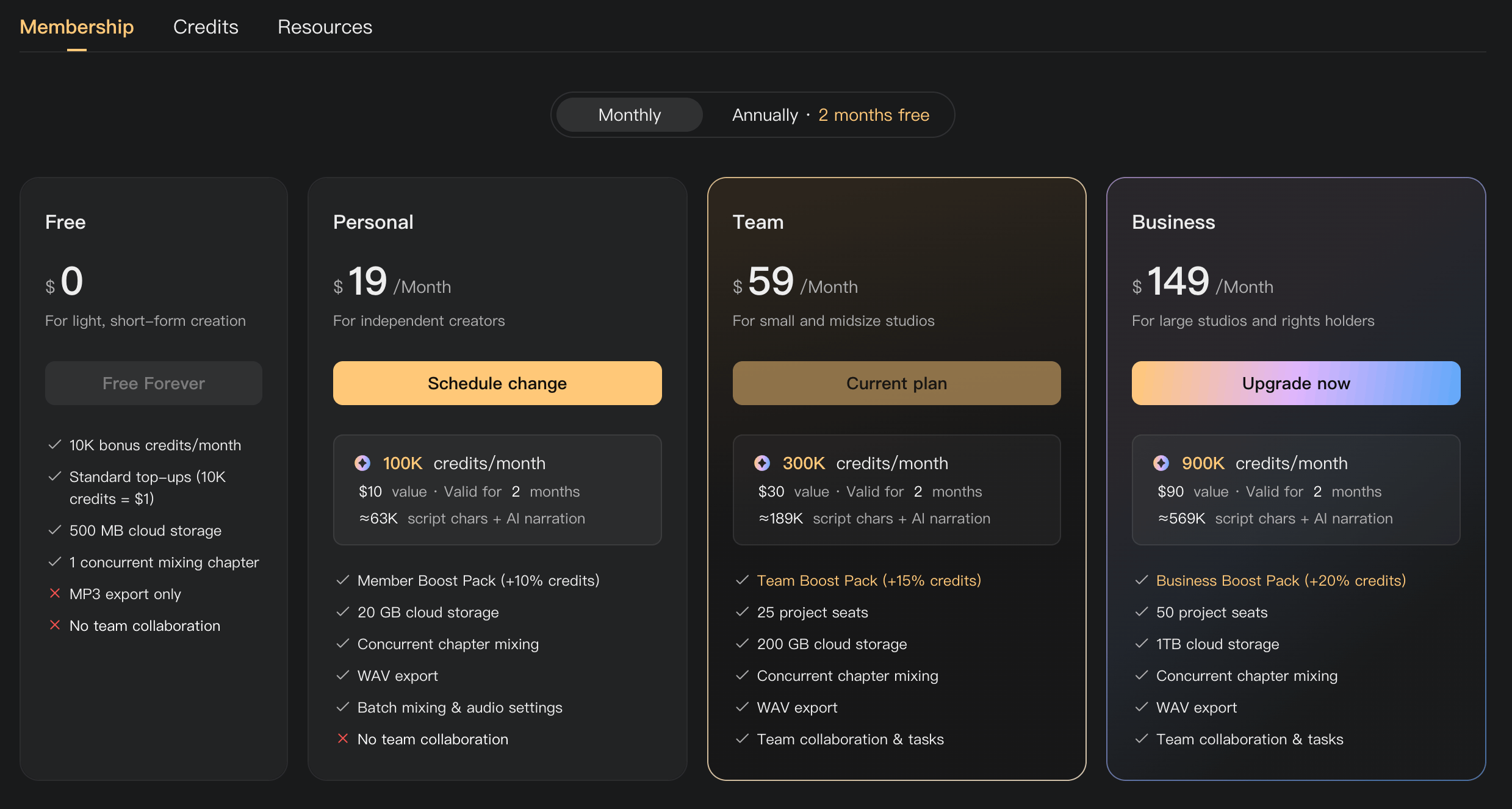
Start with the features your production needs, then consider credits and storage. Choose the smallest plan that supports your workflow; add resources separately when that is a better fit.
Three questions to ask
- Are you working alone or with a crew? Personal supports independent production; Team and Business include collaboration.
- Do you need batch tools and WAV export? Check Personal or higher.
- How many people and files does a project need? Compare project-seat limits and storage, then consider resource add-ons.
Recommendations
| Your situation | Start by considering |
|---|---|
| Trying Audimind or making occasional short audio | Free |
| Independently producing audiobooks and needing batch tools | Personal |
| Coordinating a small or midsize crew | Team |
| Running larger collaborative productions with heavier resource use | Business |
| An existing plan fits, but you need more AI processing | Standard Top-Up or an eligible Boost Pack |
| You only need more file space | Extra Storage |
| You need a few more collaborators in each project | Project Seats, with active Team or Business |
| You need both substantial extra seats and storage | Studio Bundle, with active Team or Business |
Team includes 25 project seats; Business includes 50. These limits apply per project. A Studio Bundle adds 35 project seats and 500 GB of storage.
Monthly or annual?
Paid memberships renew automatically. Monthly billing offers a shorter commitment. Annual billing provides 12 months for the price of 10, advertised as 2 months free. If you are unsure, try monthly before committing to annual billing.
Check Membership plans for prices and included credits. AI usage costs are separate from the membership price, even when the plan includes a monthly credit allowance.
Before changing plans
Use subscription management to change an existing membership. Check when the change takes effect, its charge, and its effect on storage and collaboration. See the plan-change table for immediate upgrades and switches scheduled for the end of your current period.
See Manage your subscription, Credit Boost Packs, and Buy extra resources.