
Appearance
Assign characters and voices
First assign the script segment to the correct story character, then assign that character a human performer or AI voice. Character identity and voice selection are separate choices.
Assign one segment
- In Script Editor, open the segment's character selection.
- Select an existing character, or create a new one if the speaker is missing.
- Check the displayed character against the manuscript.
- If it has no assigned voice, open voice selection and choose one.
Split a segment containing several speakers before assigning independent voices. Do not assign uncertain dialogue to the narrator without checking the context.
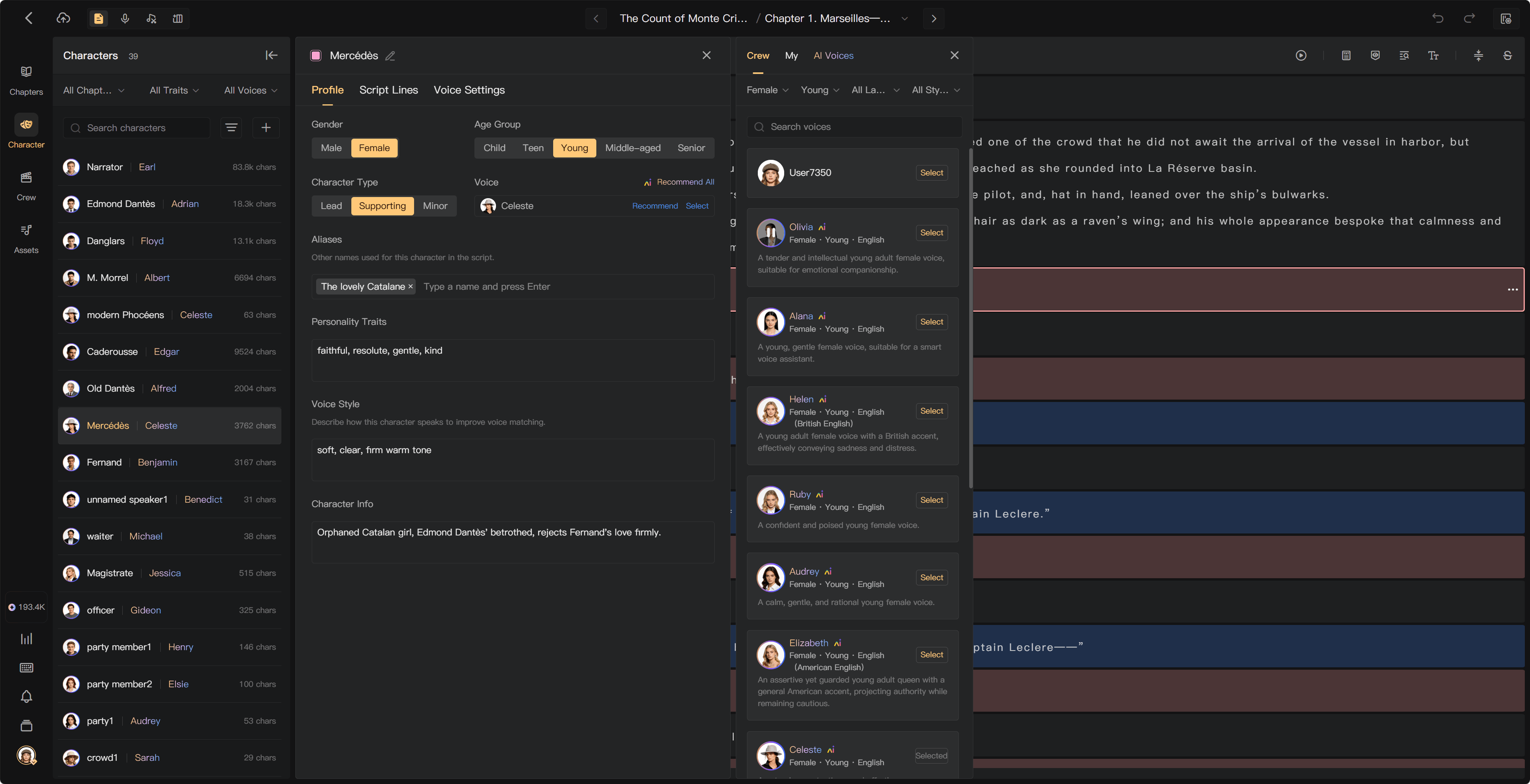
Choose a voice
Search or filter the AI voice list using language, gender, age group, and style. Play samples before selecting. Human performers are selected from the available crew.
The assignment is to the character, so it affects that character's lines throughout the project. Check existing-audio options when changing an established voice.
Assign several segments
Use the segment selection and batch character action to assign multiple passages. Check that every selected segment has the same speaker. Batch assignment replaces their previous character assignments; check affected audio afterward.
Where a copy-from-previous action is offered, use it only when the preceding segment has the correct character. A copied mistake can otherwise spread through the chapter.
- Enter segment selection and check the passages belonging to the same speaker.
- Choose the batch character-assignment action.
- Select the target character and confirm.
- Inspect the first and last selected passages and any lines that previously had another character.
Use the copy-from-previous action for a consecutive passage by the same speaker. Check narration and dialogue boundaries before copying an assignment.
Voice sources
Use the available official, personal, and team sources. Personal designed voices must be available to the project for collaborators to use them. Team Assets shares voices synchronized from outside the team library.
An existing generated recording and permission to generate a new recording with its source voice are different. Check access if a collaborator cannot select the same voice.
Before recording
Required passages need a character and a usable performer or voice assignment. Mark reference-only directions deliberately, and remove irrelevant or duplicated text only when it is outside the intended production.
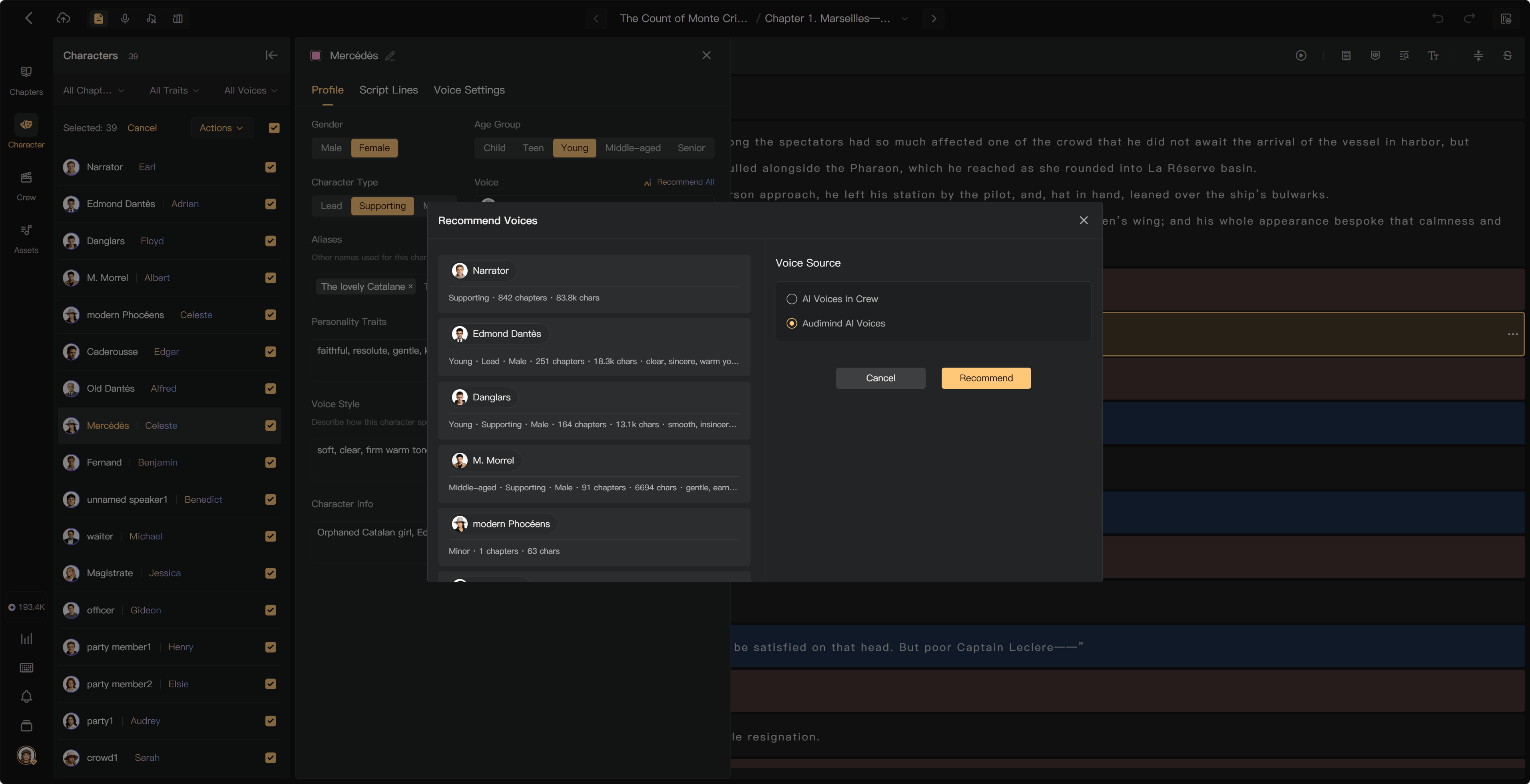
Use Recommend Voices to help choose voices for an existing character list, then listen and adjust. It does not replace checking who speaks each line.
See Manage characters, Recommend voices, and Complete Script Editing.