
Appearance
Smart Review basics
Smart Review transcribes human-recorded speech and compares the transcript with the script. It highlights potential differences so a reviewer can listen and decide what needs correction.
What the indicators mean
| Indicator | Meaning |
|---|---|
| Missed | Script text is missing from the recognized speech |
| Added | Recognized speech includes text absent from the script |
| Unrecognized | No usable transcript is available for the passage |
| Changed | Audio has been updated since its transcript was generated |
A misread can appear as a combination of Missed and Added text. Misread speech is represented by these differences rather than a separate filter. Recognition mistakes can also create highlights; listen before treating them as performance errors.
Enable Review
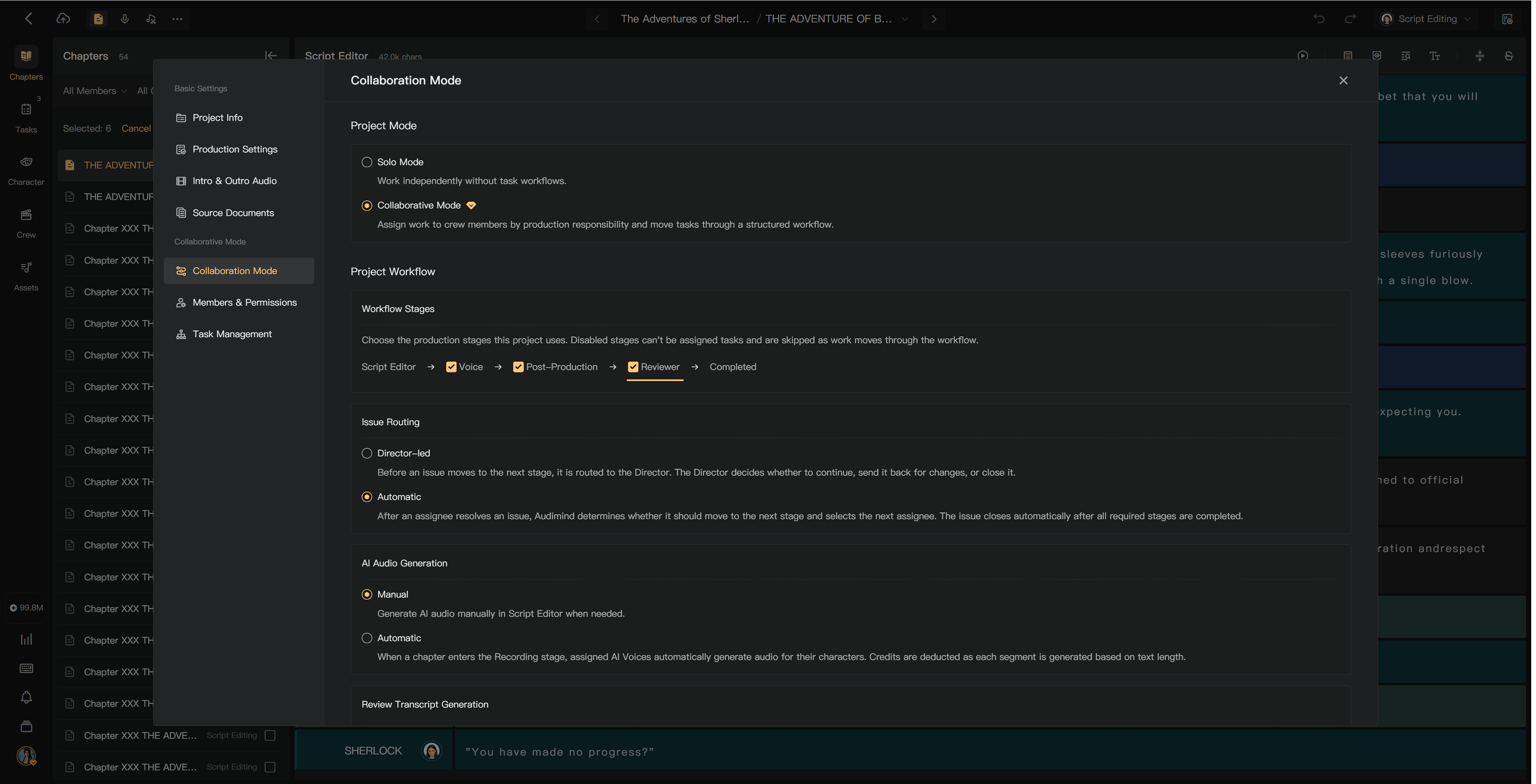
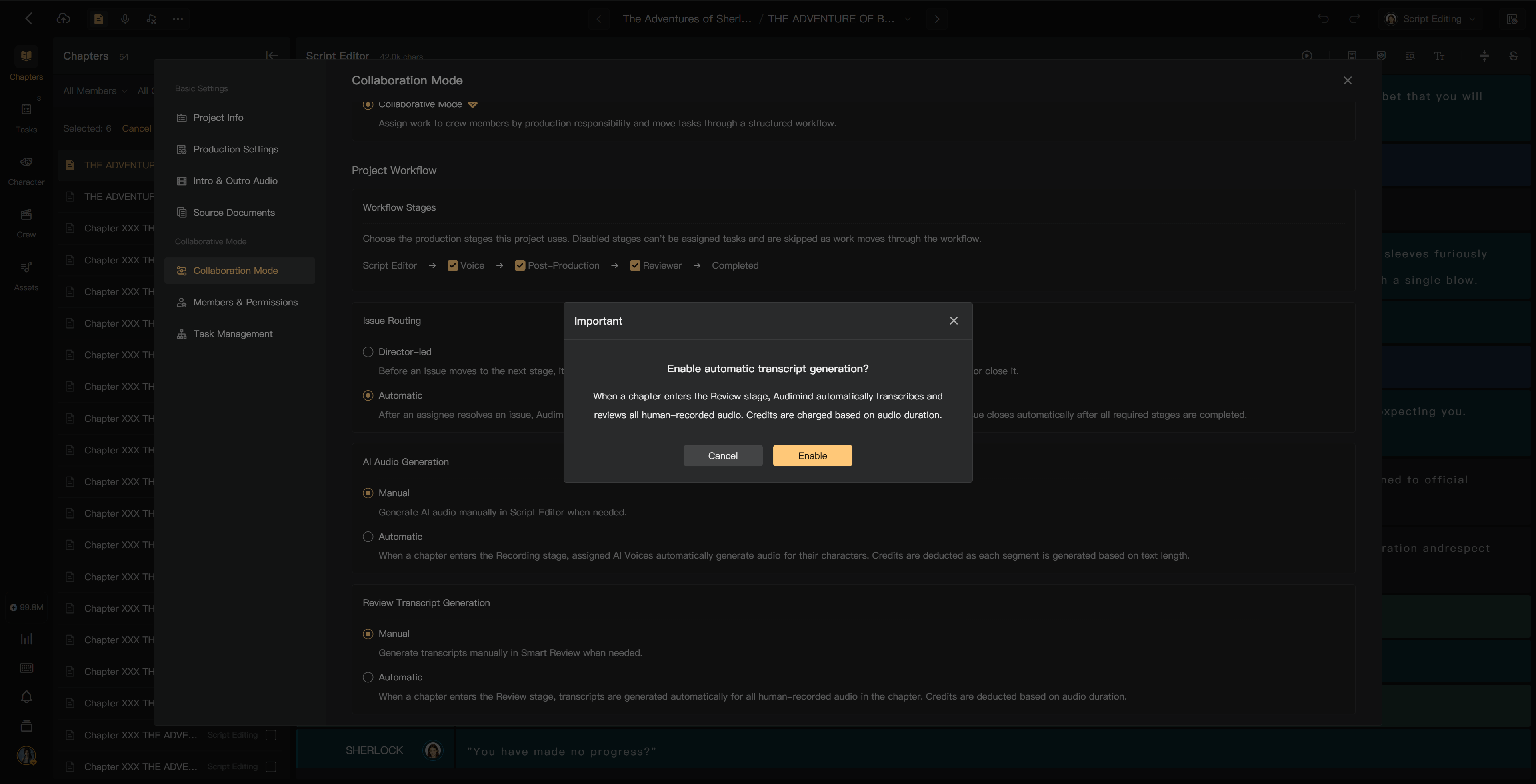
The project creator configures Review in Project Settings → Collaboration Mode / workflow settings. Review is optional and disabled by default. Read the credit notice before enabling transcript processing.
Review is useful for human-recorded passages in solo or collaborative productions. AI audio is excluded from human transcription processing and charges, but still benefits from listening for delivery and pronunciation.
Open the workflow settings, enable the Review stage, save, and inspect the chapter workflow. Confirm transcript generation separately so the creator knows when human audio will be processed and charged.
Manual or automatic transcripts
Under Review Transcript Generation, choose the available mode:
- Manual: generate transcripts in Smart Review when ready.
- Automatic: human recordings are transcribed when the chapter enters Review.
Automatic options depend on the project's creation mode. Ensure the creator has sufficient credits before enabling processing.
Cost and workflow
The charge is based on human audio that still needs transcription and is shown before generation. Reusable alignment transcripts are not transcribed and charged again. Changes to audio can require new transcripts.
Disabling Review changes the workflow; inspect chapters already in Review and follow the confirmation rather than assuming all are completed automatically.
See Generate transcripts, Read review results, and Review completion.