
Appearance
Check detected chapters
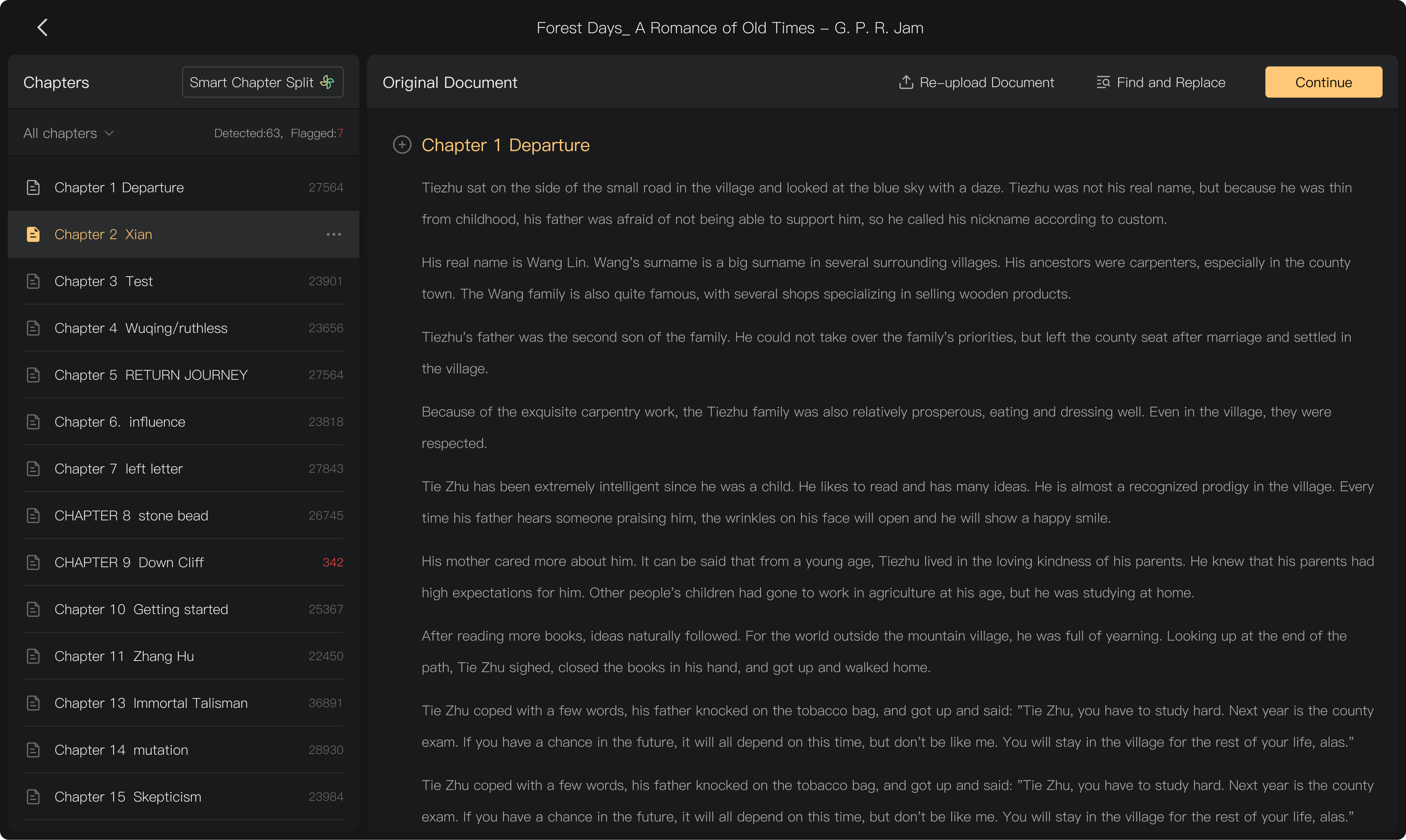
After a manuscript upload, Audimind detects likely chapter headings and shows the resulting structure. Review it before continuing; a detected heading is not necessarily a correct chapter boundary.
Prepare recognizable headings
Place chapter headings on their own lines and use a consistent pattern, such as:
- Chapter 1: Departure
- Chapter 2: The Crossing
- Part One
A document can contain several heading patterns. Use Smart Chapter Split to add patterns when automatic detection misses them. An unnumbered title may need to be marked manually.
Review the structure
Check:
- Count: are all intended chapters present?
- Order: do they follow the manuscript?
- Titles: are headings complete and correctly identified?
- Boundaries: does each chapter begin and end at the right place?
- Text length: are unusually long or short chapters explained?
Audimind highlights lengths that differ substantially from the average. An unusually long chapter can indicate a missed heading, not necessarily a system-limit violation. A chapter supports up to 80,000 text characters.
Fix a missed or false heading
- Open Smart Chapter Split and adjust Chapter Title Patterns.
- Mark a line as a chapter title when needed.
- If a detected heading is actually body text, change it back to body text using the control in the document pane.
- Re-split by text length when a manuscript has no usable heading structure.
Check the result again after changing rules. Watch for a table of contents being mistaken for repeated chapter starts.
Continue to scripting
Once the structure is correct, select Continue and review the Smart Scripting confirmation and its charge. Confirming structure affects how subsequent scripts, audio, and tasks are organized, so make major adjustments before production.
New documents added later have their own chapter preparation. Check their numbering and titles against the existing project.