
Appearance
Use assets in a project
Open Assets in the creation page's sidebar to browse available official, personal, and team resources. Use audio files on tracks and assign AI voices to characters.
Add audio to a track
- Open Post-Production and the Assets panel.
- Find the music, SFX, or audio you want and listen to it.
- Drag the asset onto the appropriate track at the intended time.
- Check the new clip's position, length, volume, and fades.
Adding audio from the asset list uses drag-and-drop. Use an SFX Track or Music Track for effects and background music. Upload a character recording through the corresponding script segment instead.
Assign an AI voice
- Open Characters and select a character.
- Open voice selection.
- Choose an available official, designed, or favorited voice and listen to a sample.
- Confirm the assignment, then generate the character's audio when ready.
If the character already has recordings, review the existing-audio options before changing its voice.
Check project storage
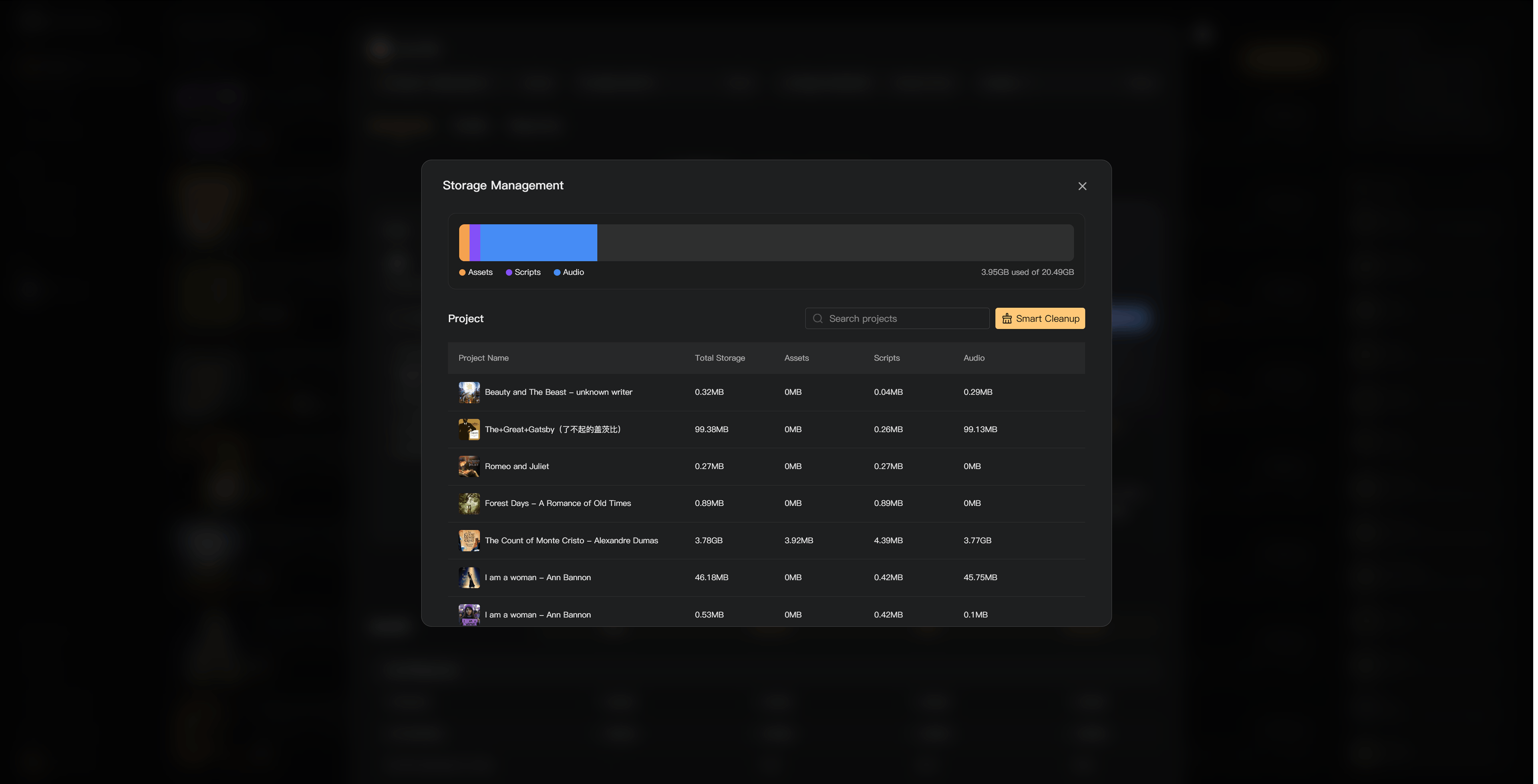
Open the purchase dialog from the sidebar Credits menu and select Manage beside Storage. Review the overall usage and project breakdown. Search or sort the project list to locate large files.
Smart Cleanup lists categories that can be removed. Review every selected category, then confirm. A default selection does not replace checking whether you need the files.
If storage is full
Uploads, generation, and other operations that add content can be blocked. Existing content remains available to view, play, and download. Delete unneeded files or buy Extra Storage; restoring appropriate membership benefits can also increase capacity.
Purchased Extra Storage has its own duration. It is not permanent storage merely because it is separate from membership. Studio Bundle resources require active Team or Business membership.
Ownership changes
A project transfer must pass the recipient's storage and access checks. If the recipient cannot accommodate the project, resolve that capacity shortage before transferring.
See Add music and SFX, Manage full storage, and Project seats.