
Appearance
Resolve review issues
After listening to a flagged passage, decide whether it needs a correction. Use Ignore for an acceptable difference; use an Issue to track work someone needs to do.
Choose the action
| Action / Issue type | Use it when |
|---|---|
| Ignore | The audio is correct, the difference is acceptable, or recognition is wrong |
| Script Issue | Text, character assignment, or script structure needs correction |
| Recording Issue | A performer needs to correct omitted, extra, or misread speech |
| Post-Production Issue | Editing cut speech, introduced a bad join, or affected audio quality |
Ignoring a difference does not edit the audio or script. Listen first and follow your production's acceptance standard.
Create an Issue
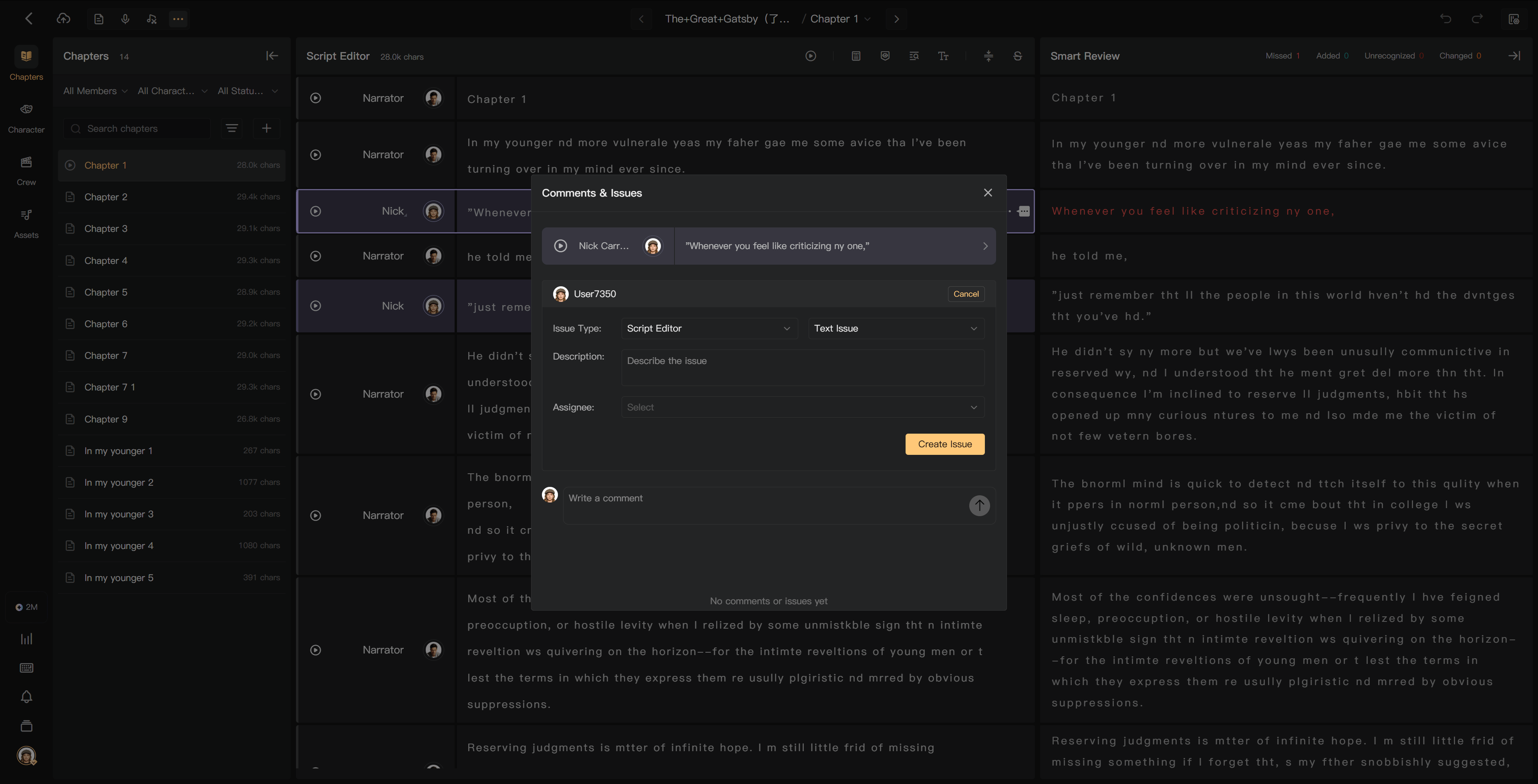
- Click the relevant difference or open Comments & Issues for the segment.
- Select the appropriate Issue action or Create Issue.
- Check the prefilled type and text where provided.
- Describe the problem, its location, and the expected correction.
- Submit and check the assigned handler and status.
For example: “The last word of the line is cut off. Restore the full ending and check the join into the next segment.”
Routing and verification
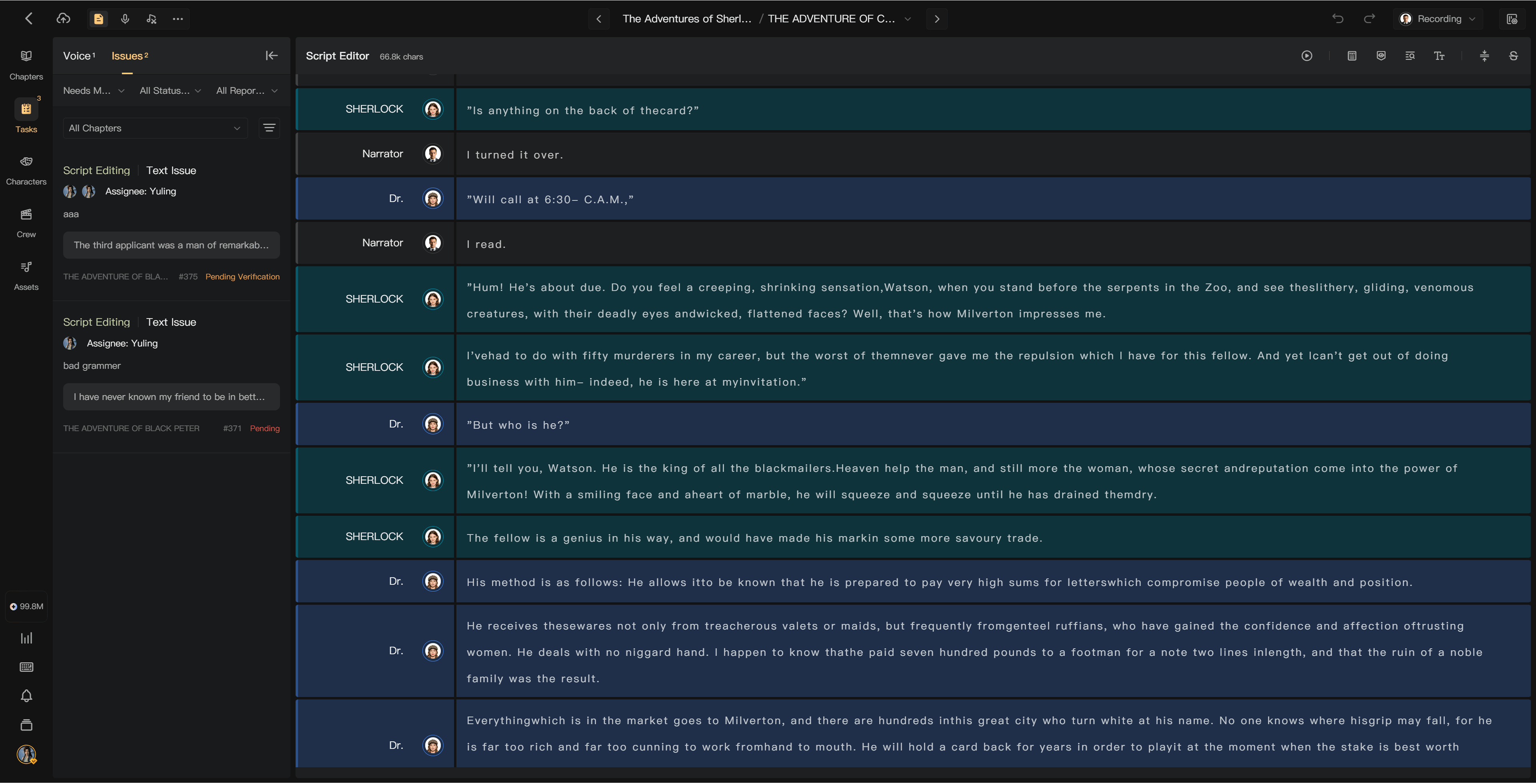
Issue Routing in Project Settings controls whether corrections follow automatic routing or a director-led verification flow. Track the current handler in the Issue record. A correction marked handled still needs the required verification before closure.
Use the project's Issue list, segment Comments & Issues, and notifications to return to the work. If no notification appears, check the Issue itself and contact the handler.
Batch handling
Select Issues of the same eligible status and choose an available batch action. Pending Issues and Issues awaiting verification must be processed in separate batches. Review the selected scope before accepting or closing multiple corrections.
Recheck the audio
Listen to the corrected recording. Regenerate a transcript when its audio has changed, and refresh a mix after editing so the final deliverable includes the correction. Creating an Issue alone does not mean the problem has been fixed.
See Review results, Review completion, and Task management.