
Appearance
Download chapter audio and scripts
Download a single finished chapter or select several chapters to prepare an archive. Downloading does not automatically regenerate a chapter's audio.
Download one chapter
- Open the project's Export panel.
- Find the chapter and click its download icon.
- If prompted to mix first, return to the chapter, run Mixing, and try again when it finishes.
The list records the download status and time. An update indicator means a newer mix is available than the one you previously downloaded; download again to obtain the new version.
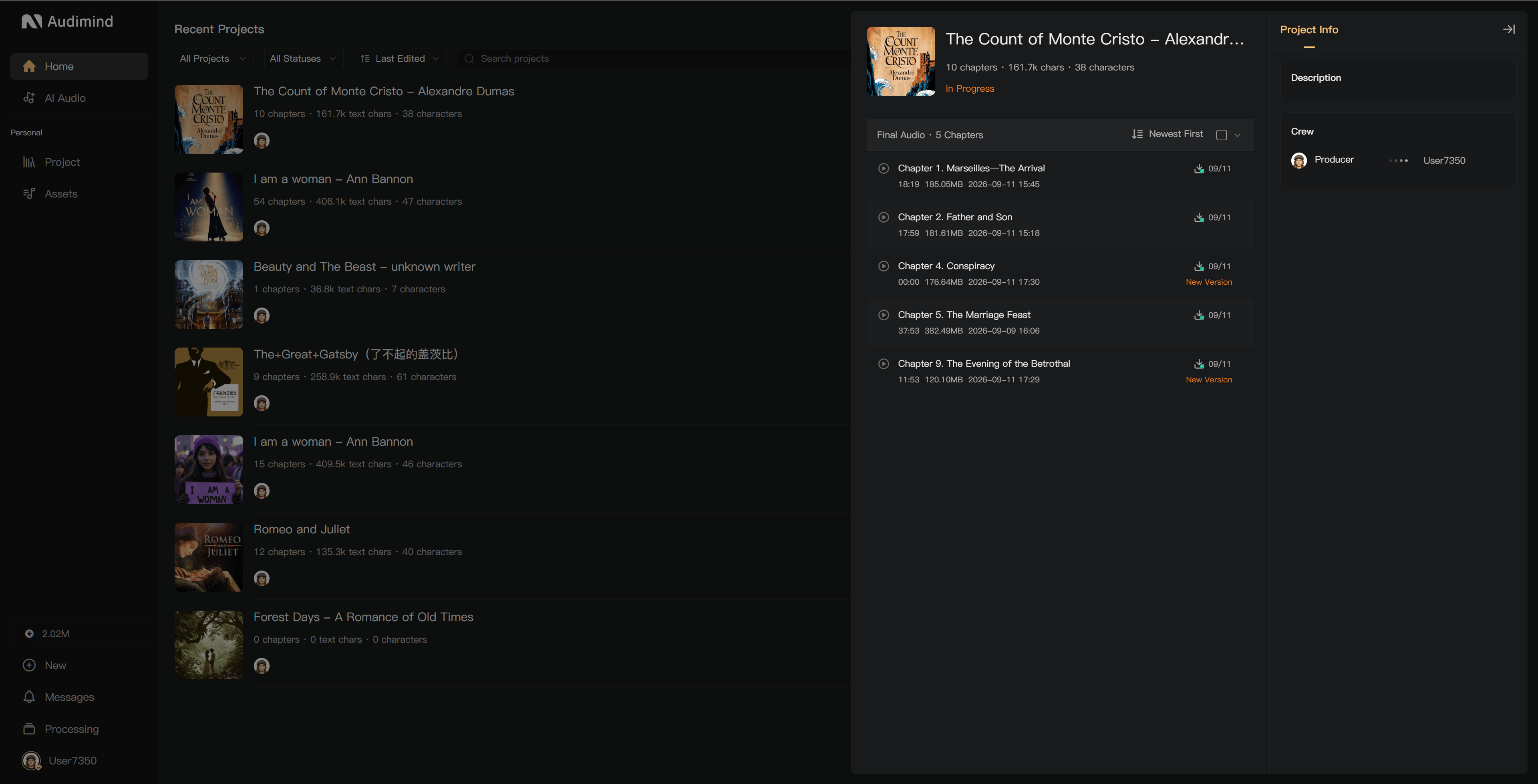
Choose the available format
Free accounts can download MP3 audio. WAV export is a membership benefit. Check the available option and current plan details before exporting.
Converting a file to WAV does not restore quality lost in the source recording. Confirm the exported file's specifications against your distributor's requirements.
Download several chapters
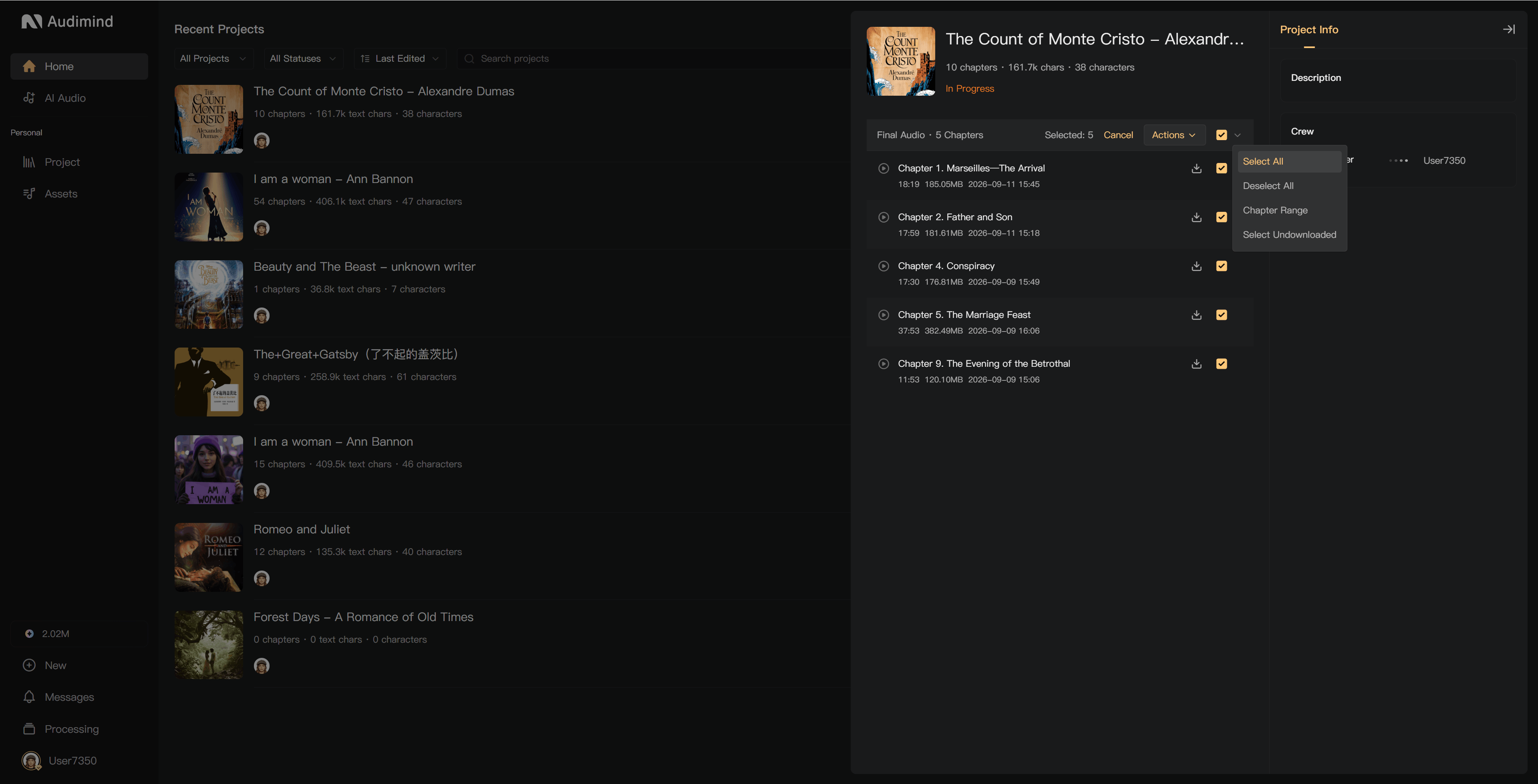
- Select chapters using the checkboxes in the Final Audio list. Use Shift for a range.
- Use the selection menu if you need all chapters, a specified range, or chapters not previously downloaded.
- Choose the batch download action and confirm.
- Check Processing → Processing Tasks while the archive is prepared.
- Use the download link in the completion notification to retrieve the archive.
Large selections may be prepared as more than one download package. Check that you have downloaded all parts.
Download scripts
In Chapters on the creation page, open a chapter's … menu and choose the script download action to obtain a DOCX file.
For several chapters, select them and use the batch script download action. The system prepares the document as a background task; download it after completion.
Script downloads require the relevant project permission. Ask the project creator or a member who manages permissions if the action is unavailable.
Before delivery
Listen to the downloaded file, check chapter names and order, and confirm that intro/outro audio and required production edits are included. If the chapter changes afterward, mix it again and download the updated version.