
Appearance
Preview segments and chapters
Listen to a short sample before generating a large amount of audio. Then use chapter playback to check pacing, transitions, and overall delivery.
Play a segment
Open Script Editor or Recording, find the segment, and select its play control. Existing audio plays without a new generation charge. If audio is missing or needs regeneration, review the credit prompt before confirming.
If you disable further confirmation prompts, later generation can still consume credits. The setting hides the prompt; it does not waive the charge.
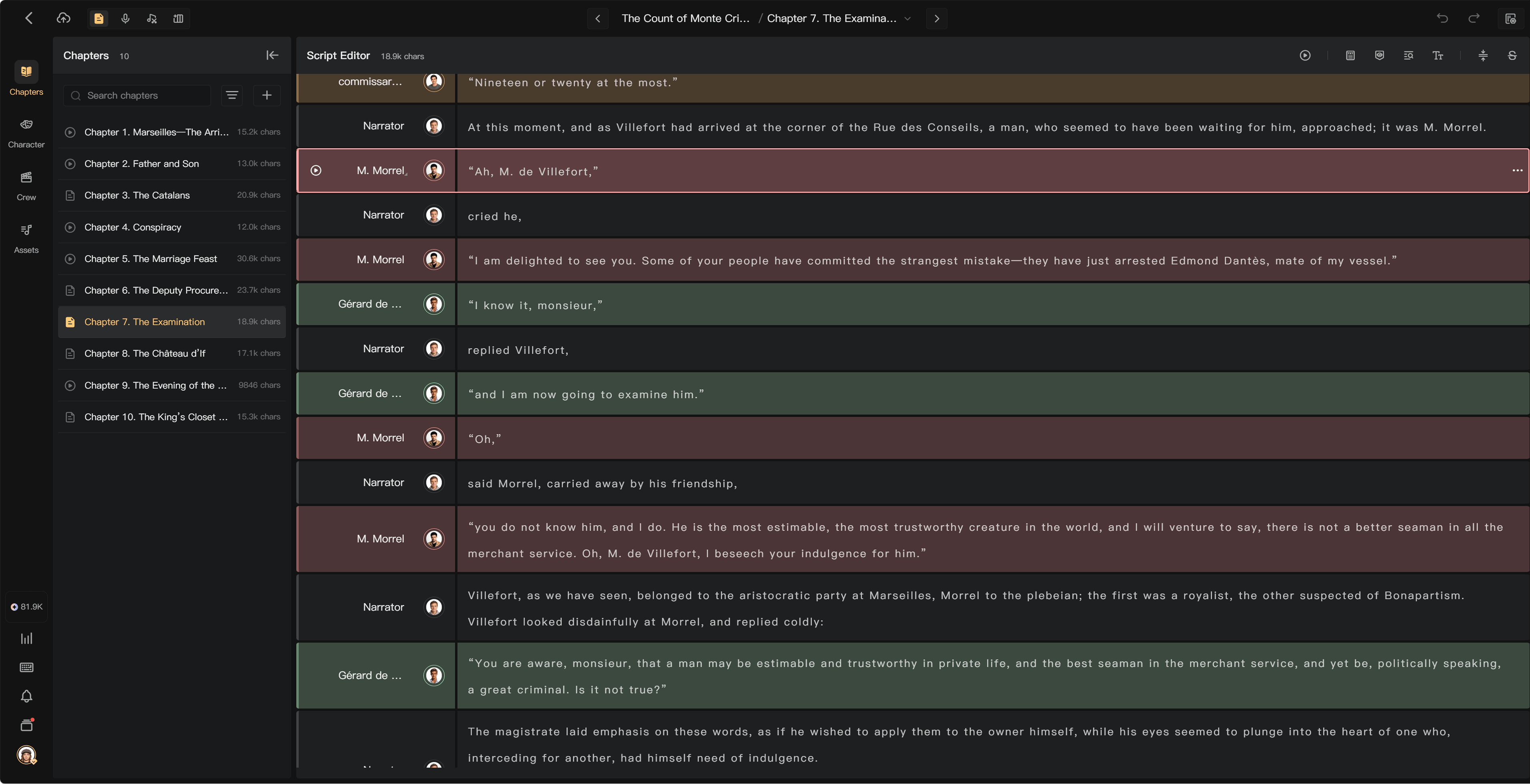
Play the chapter
Use Play Entire Chapter (Mixed) in the Script Editor toolbar or the available chapter playback action. Missing AI audio can require generation first. Missing human recordings must be completed or uploaded before a complete mix can be prepared.
The operation depends on mixing permissions. A member who can play an existing mix may not be allowed to generate missing audio or update it.
Check the performance
- Does the selected voice fit the character and language?
- Is the speech complete and accurate?
- Are emotion and pauses appropriate?
- Do volume, music, and SFX keep speech clear?
- Does the current mix include recent edits?
Correct text or performance settings before regenerating AI audio. For human speech, request a pickup or replace the recording. Mixing an existing recording does not repair words that were spoken incorrectly.
Restore an earlier recording
Open the segment's more menu and Recording History. Listen to an available previous version, select its restore/use action, and confirm. Check the current segment audio afterward.
History is a way to choose an existing result, not a guarantee that every version is retained forever. Keep local copies of important recordings.
Charges
Playback, mixing, and export do not themselves consume credits. New AI generation triggered as part of those operations can. Check the generation prompt and usage history for the exact charge.
See AI generation modes, Mix chapters, and Upload recordings.