
Appearance
Design an AI voice
Voice Design creates a new AI voice from a written description. Describe the performance you need, listen to the sample, and save a result that fits your story.
Start a design
- Open Voice Design from AI Audio or New.
- Enter the voice description.
- Add sample text, or choose an available preset, to hear how the voice performs.
- Review the terms and displayed credit charge.
- Complete the required fields and start generation. Read the generation guide if it appears.
Follow the form's character limits. Generation uses your own credits.
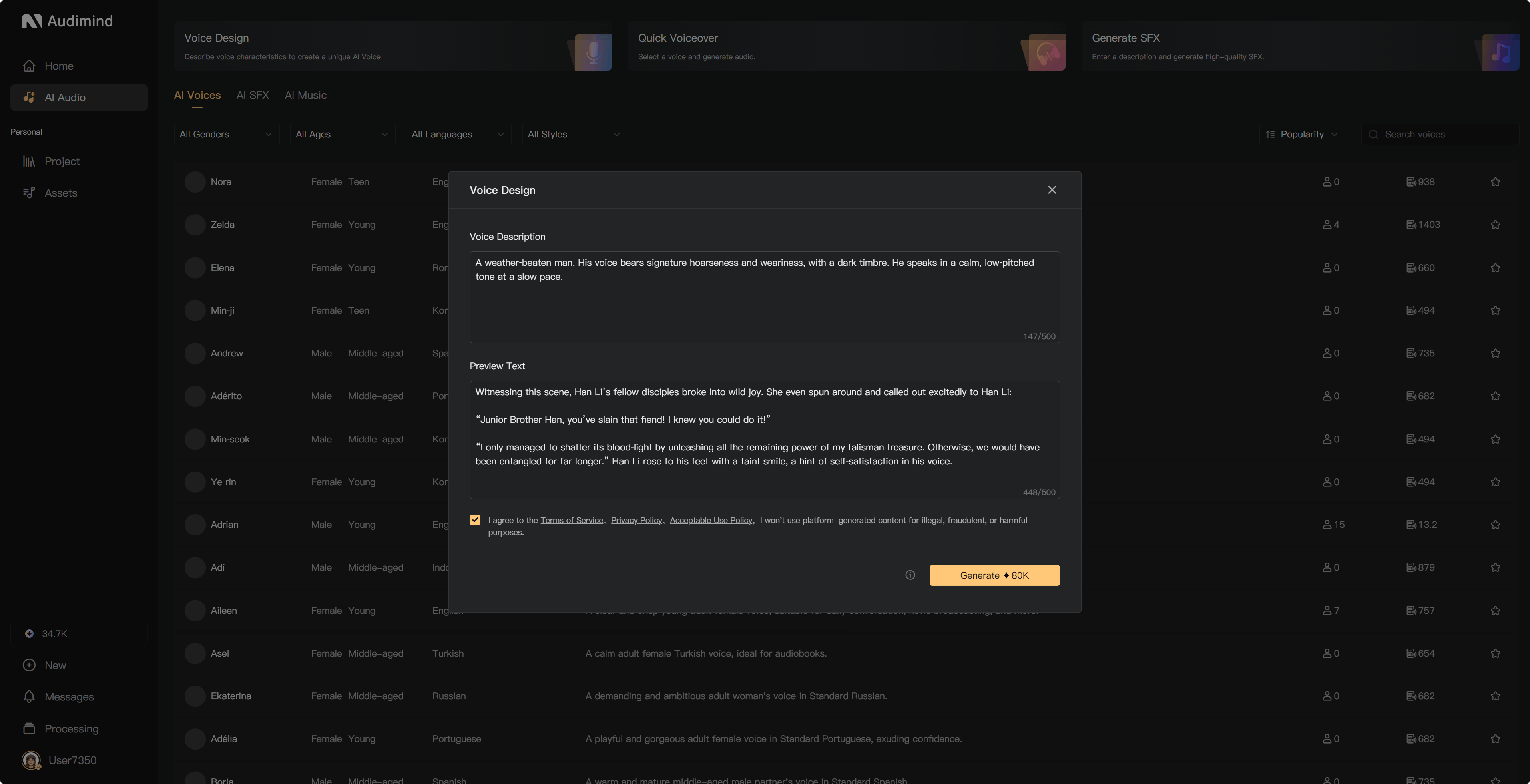
Write a useful description
Include an age range, vocal qualities, delivery, and intended use. Describe sound rather than asking for a specific real person's voice.
For example:
An older female narrator with a low, slightly husky voice. Calm, intimate delivery with measured pauses and restrained tension, suited to horror stories.
Use sample text with the kinds of sentences and emotions the voice will need to perform. Specific descriptions help, but generated results can vary.
Listen and retry
Play the generated sample before saving. Within a design session, Free users have one free retry and paid members have two. The dialog's remaining retry count determines what is available.
You can adjust the description and sample text before another attempt. Compare the results shown in the session and select the one you prefer. When no retries remain, select and save the result you prefer. If the dialog offers a membership upgrade for one additional retry, review that option before starting a new paid design session.
Save your voice
Select the voice to save and complete its name, gender, age group, and language as requested. Use a recognizable name rather than relying on a numbered default. Find the saved voice in personal Assets → AI Voices, then assign it to project characters.
Follow any save prompt when closing the dialog. Do not assume every preview in the session has been saved; check Assets for the result you want to keep.
If generation fails
Read the error, check your available credits, and review Processing or usage history where relevant before retrying. A browser interruption does not necessarily stop server processing. Contact support if a failed operation still appears charged.